Your Tesla.
Your data.
Native on iPhone, iPad and Mac.

AutoMate for Tesla shows everything TeslaMate records – drives, charging sessions, battery health and more – as a fast, native app instead of a browser tab.

Version 1.3.4 · macOS 26 Tahoe · iOS 26 and iPadOS 26

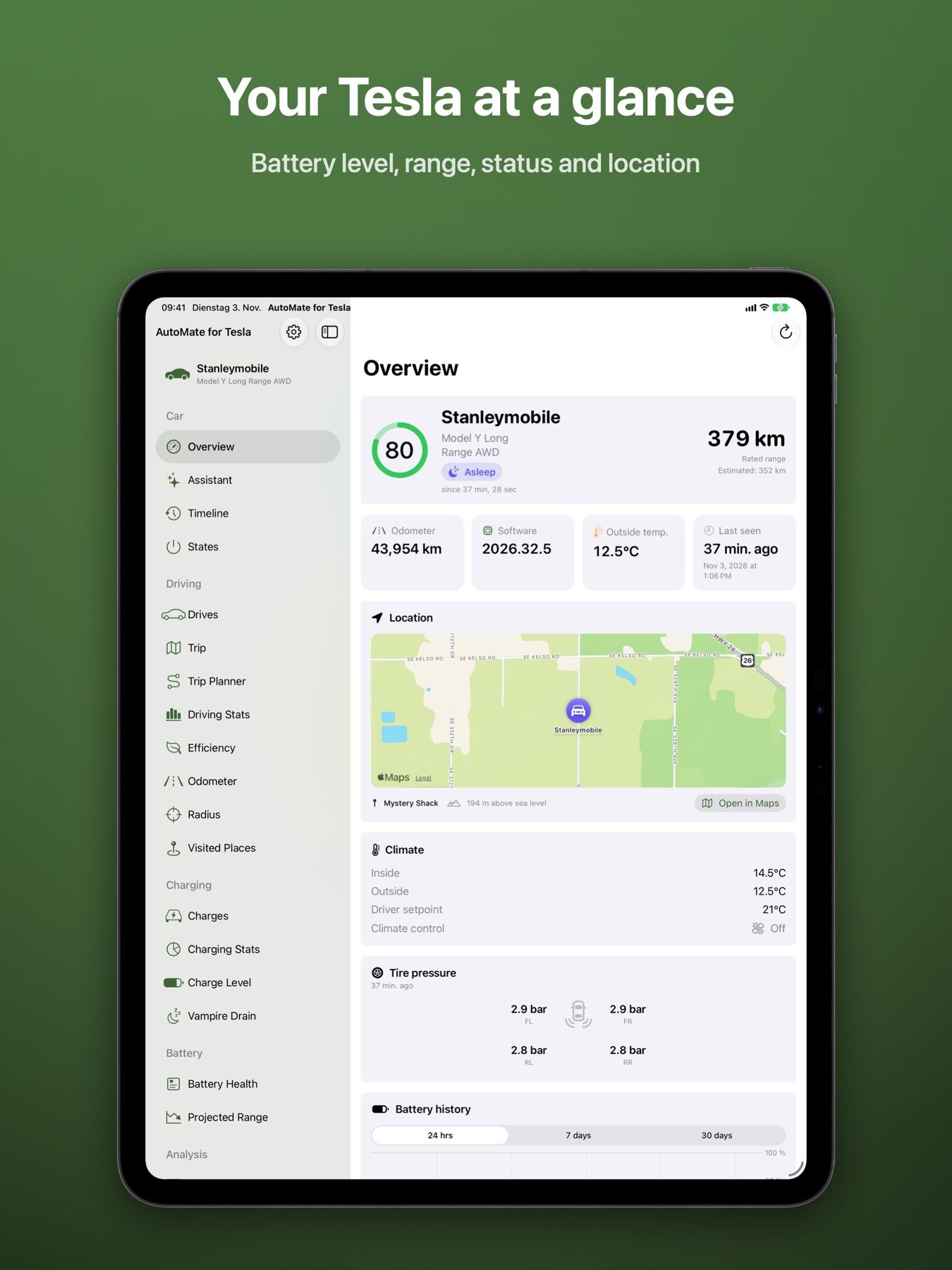
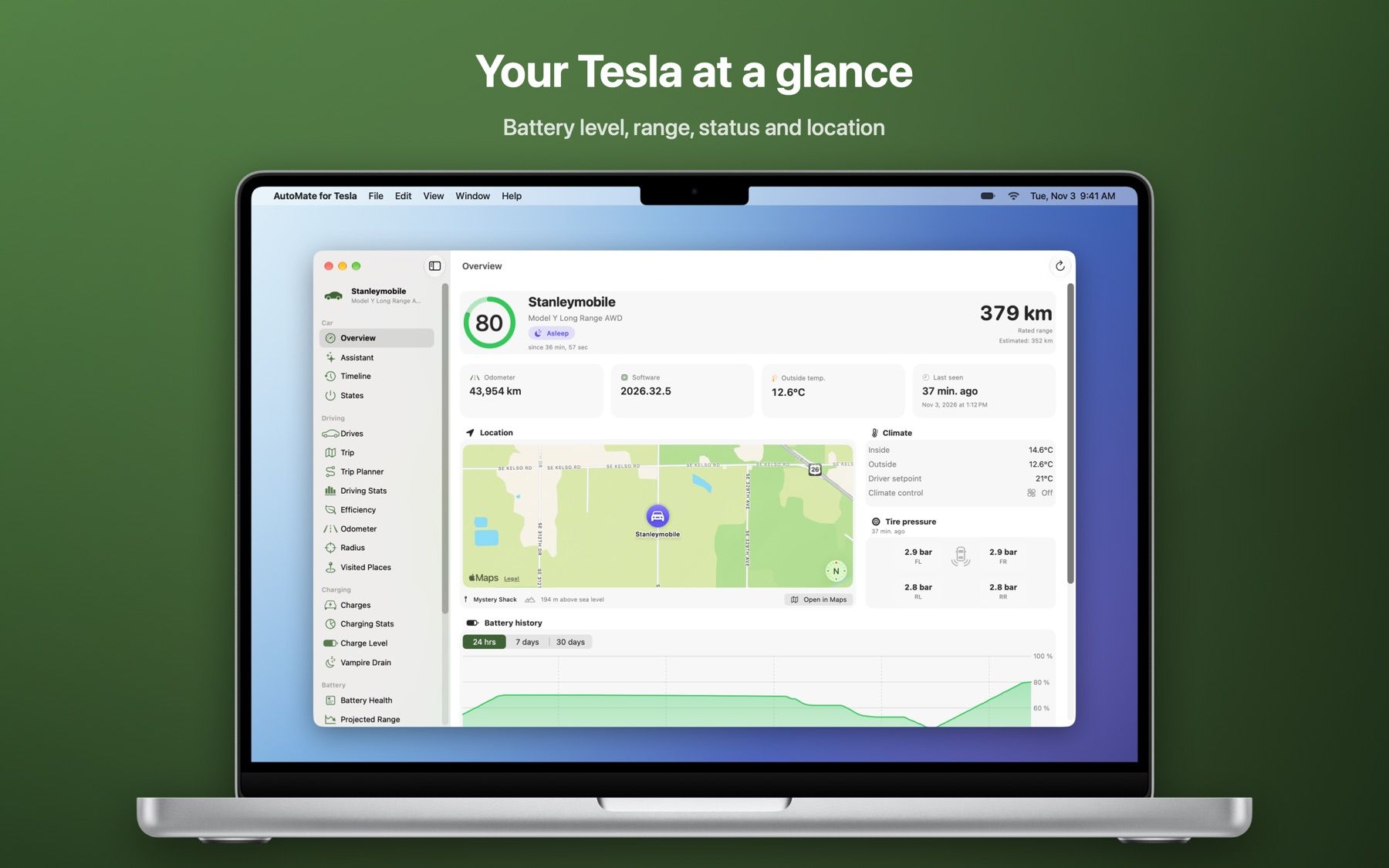
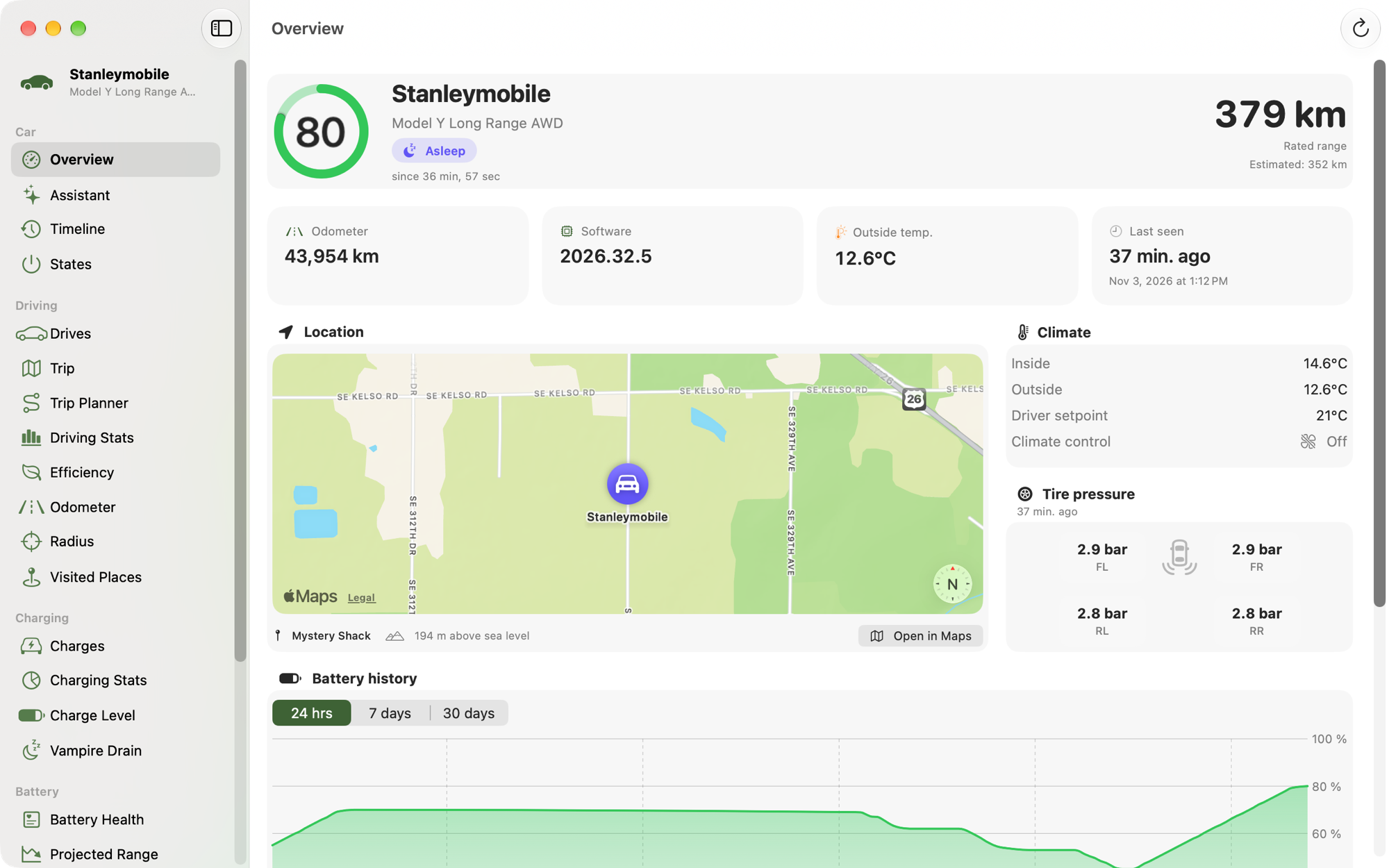
The overview of the Mac app with battery level, range, map and battery history
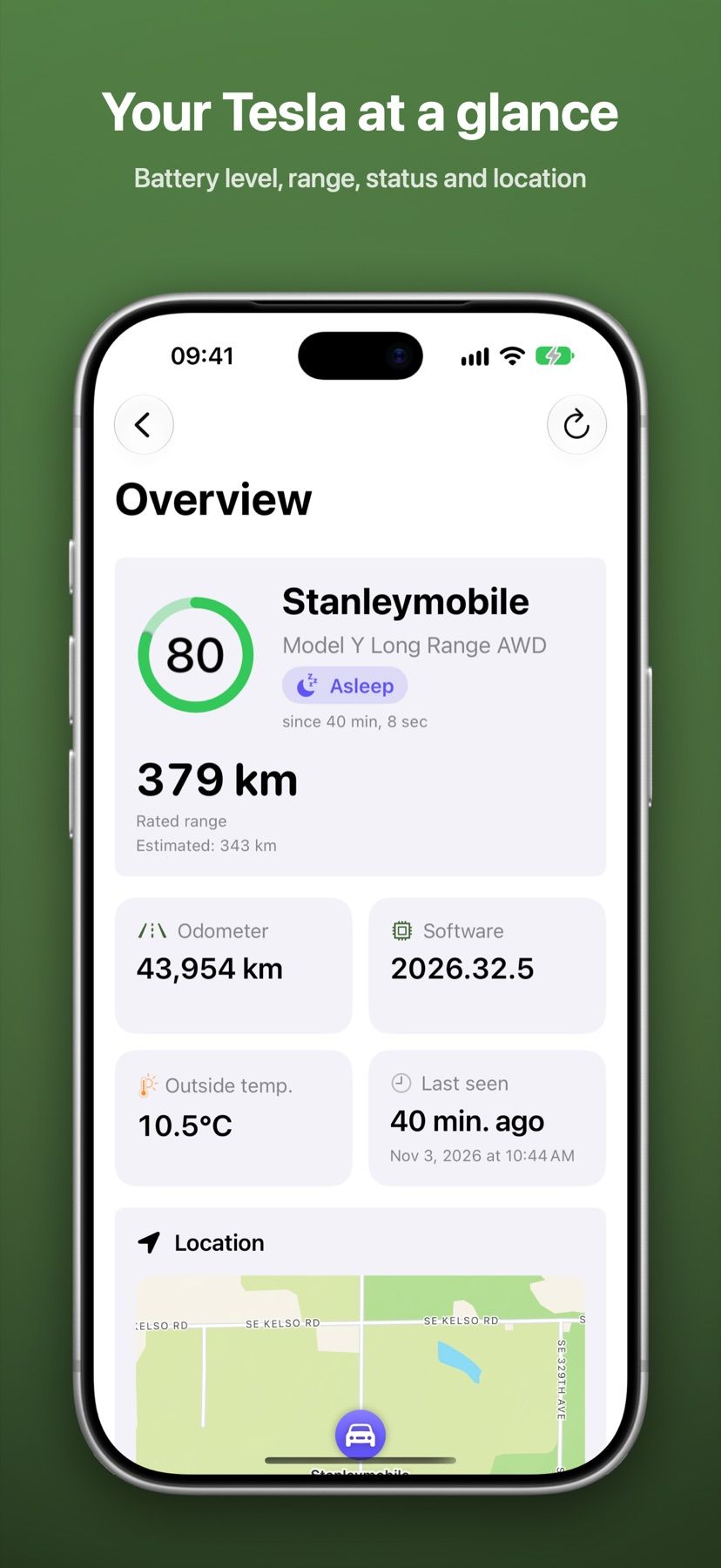
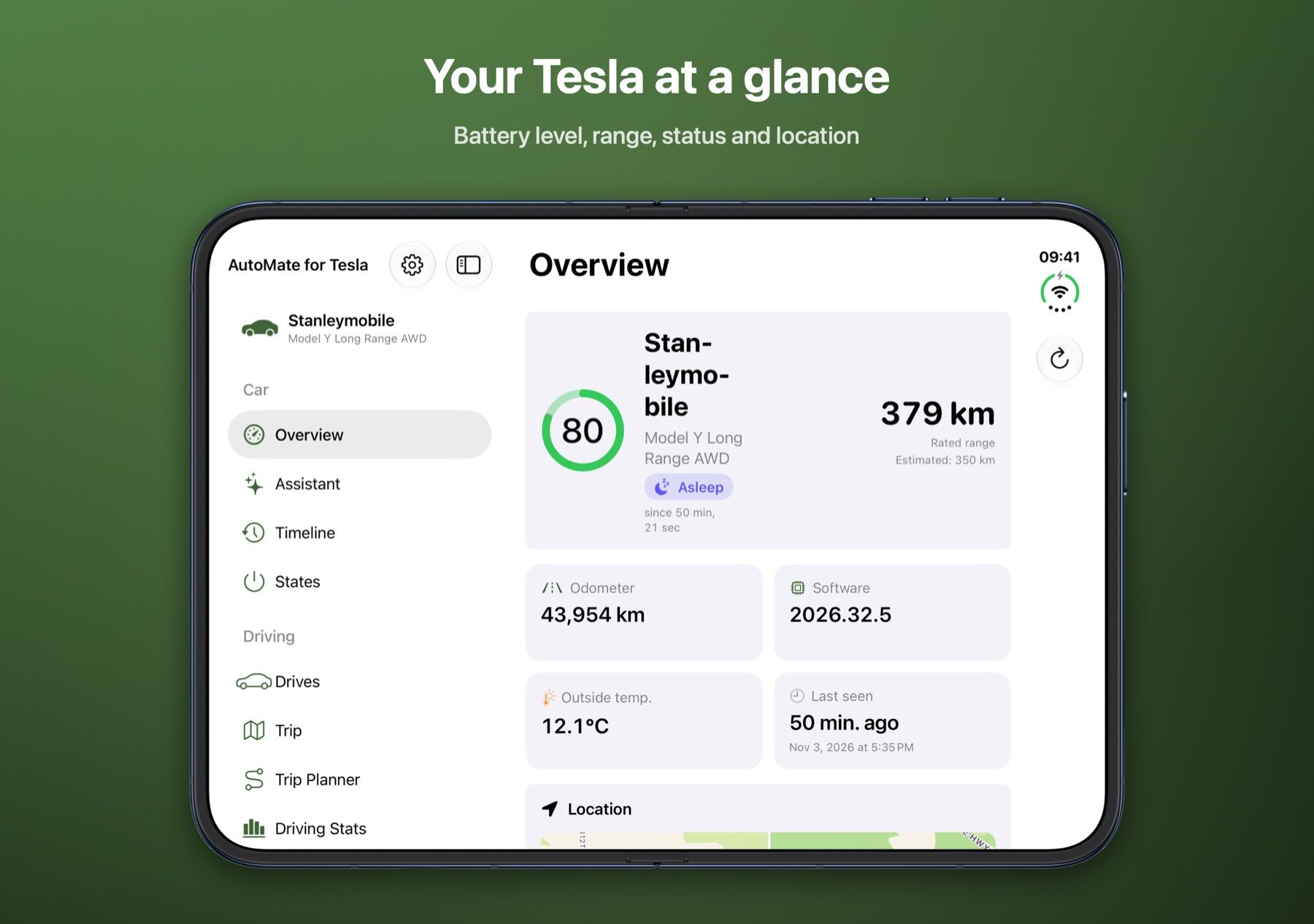
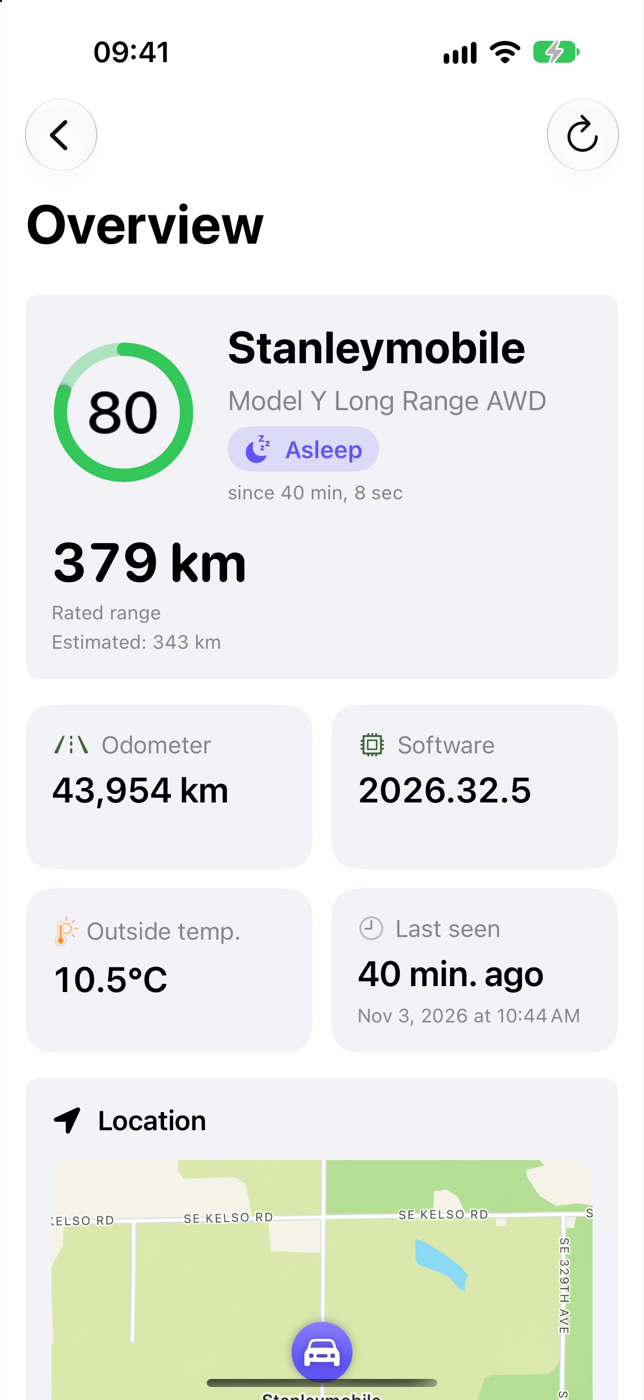
The overview on iPhone with 80 % battery and 379 km range
Features

Every TeslaMate dashboard. No Grafana in the browser.

The app rebuilds the TeslaMate Grafana dashboards with Swift Charts, MapKit and real lists and tables – on every device the way it should feel there.

  • Overview

    Battery level, range, status, location, climate and tire pressure – live as soon as anything changes.

  • Drives

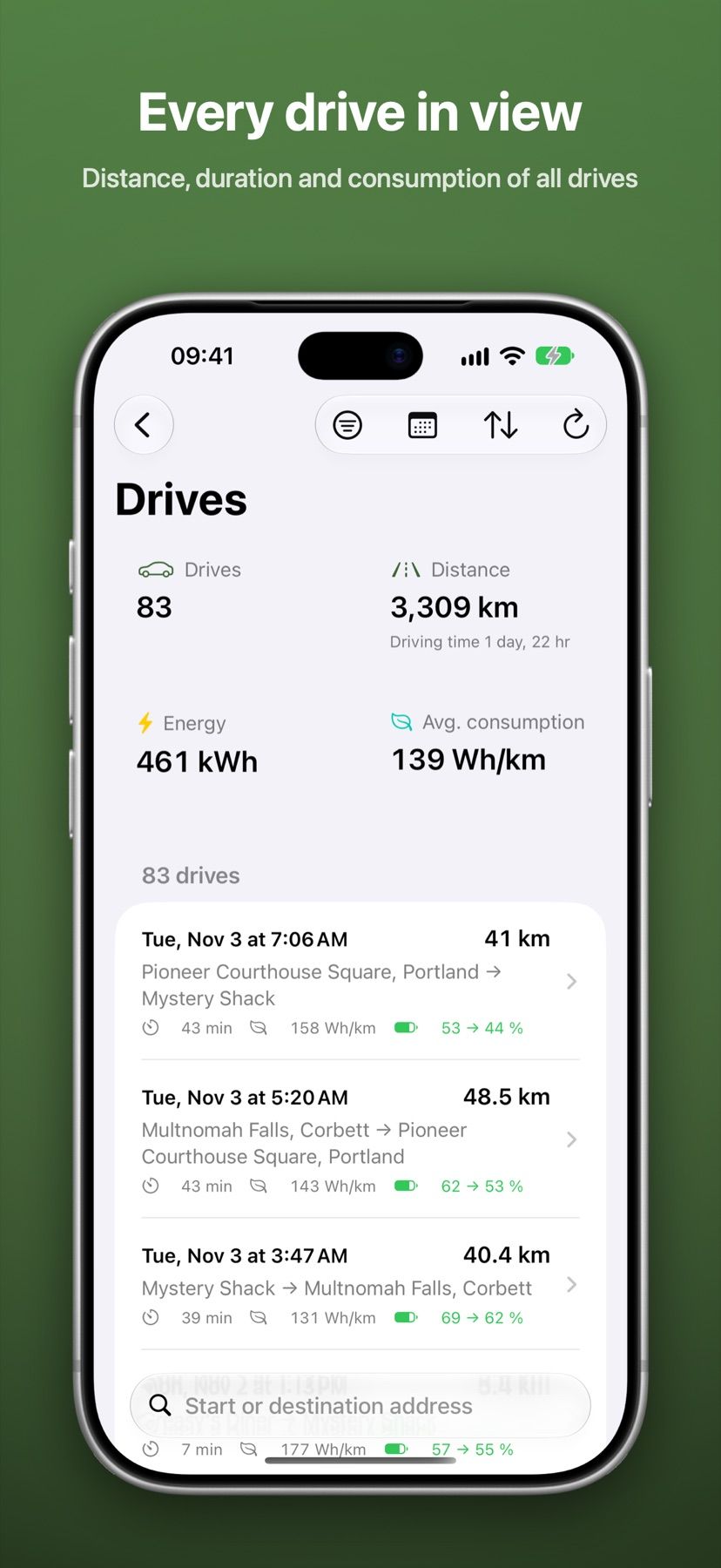
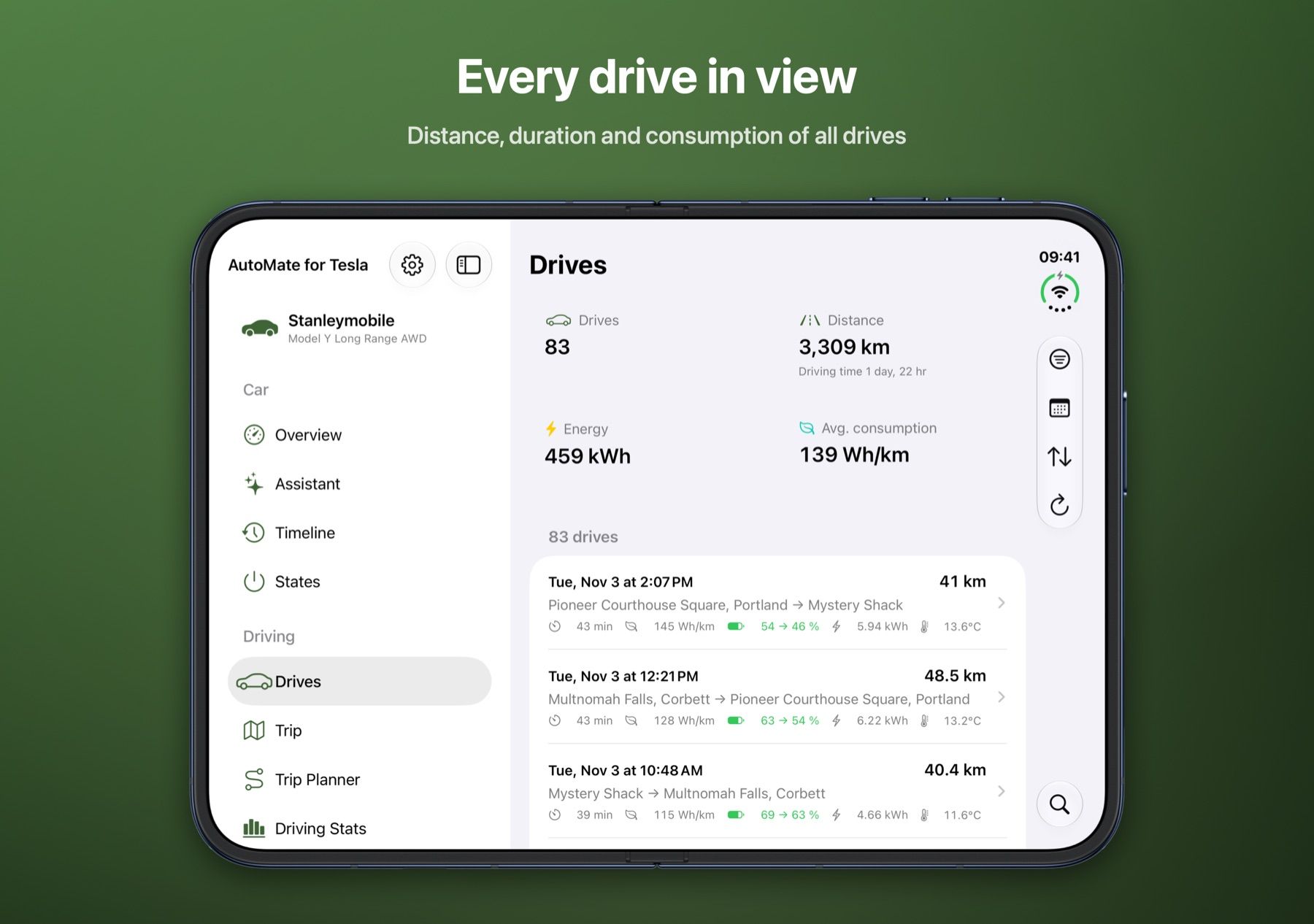
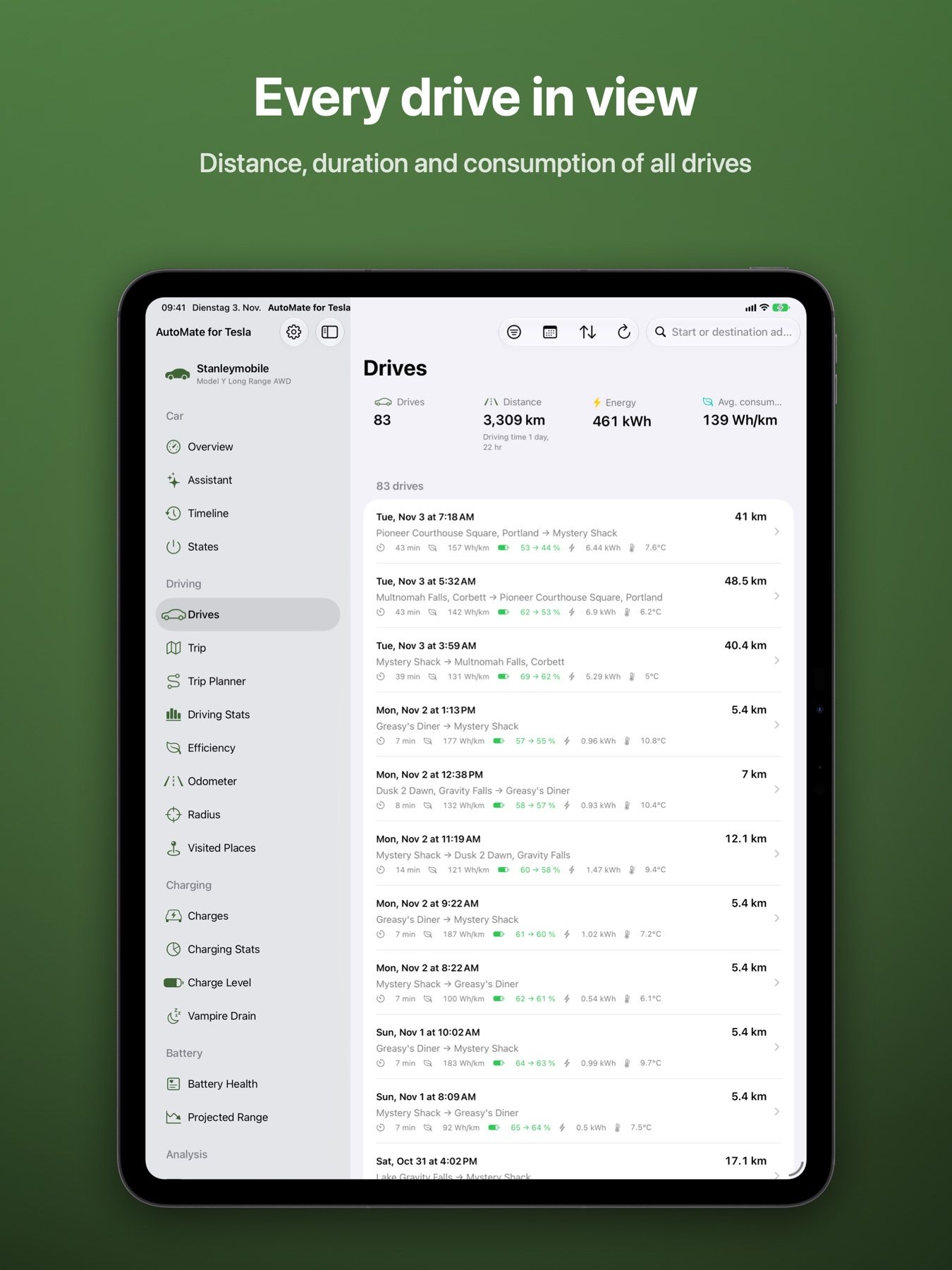
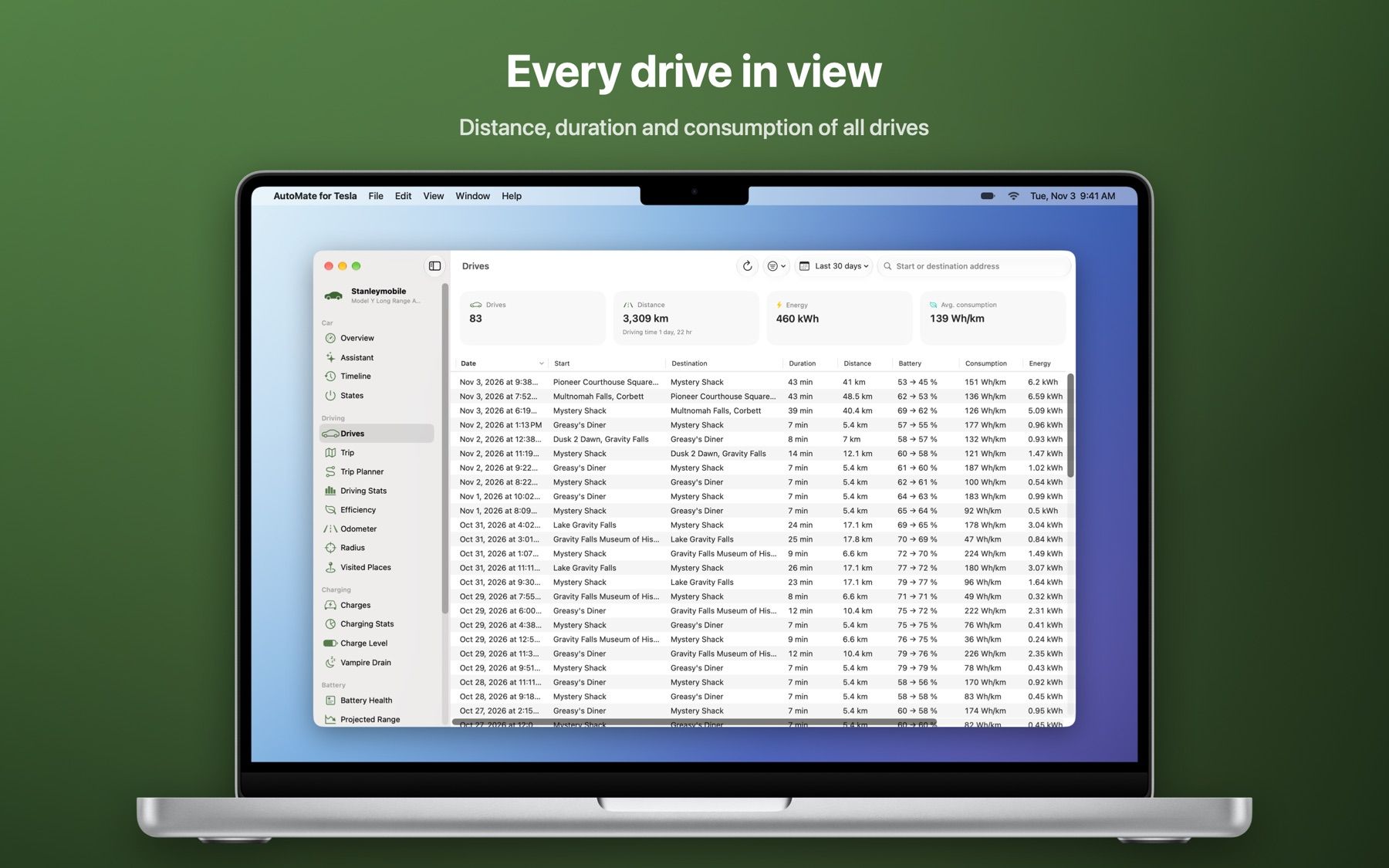
    Every drive with route, speed, power, elevation and consumption. Search, filter, sort.

  • Charging

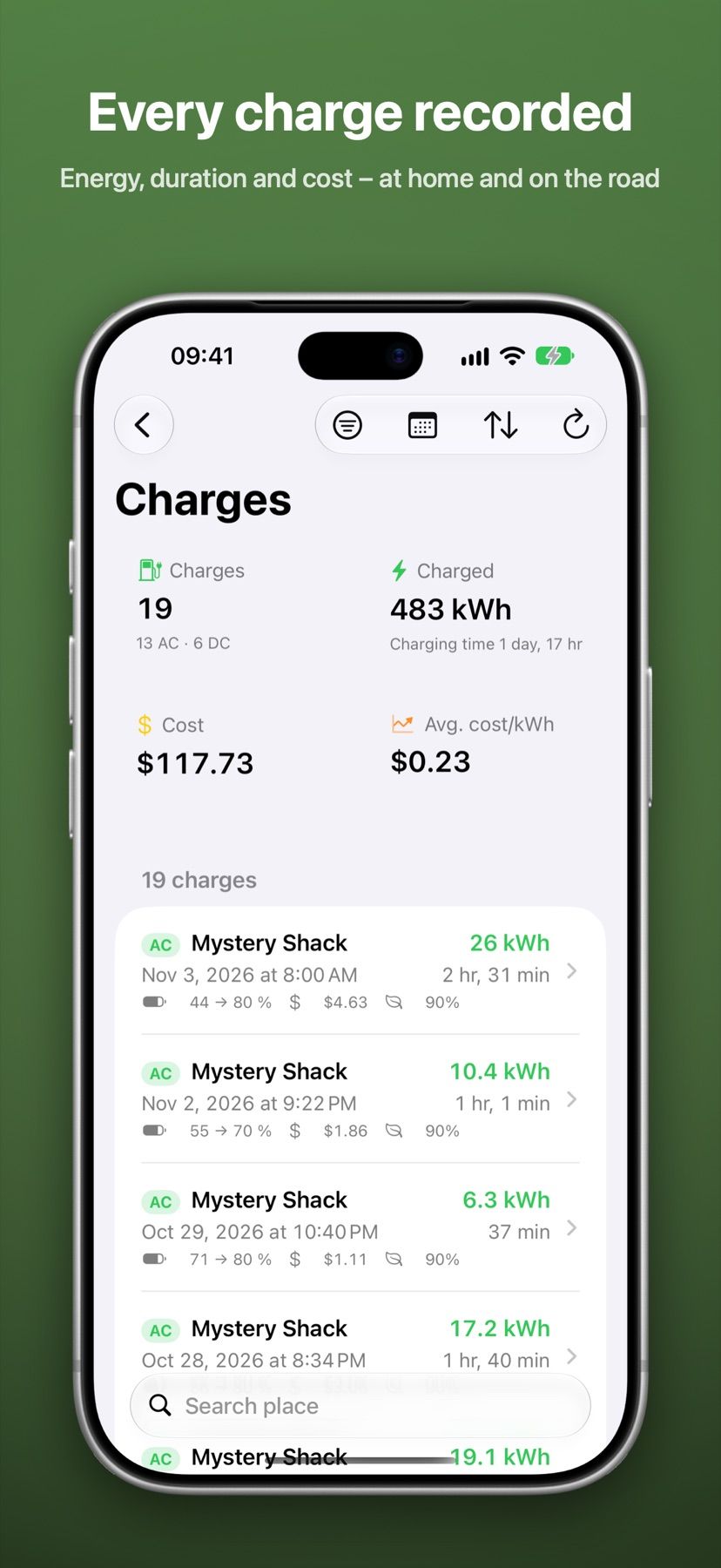
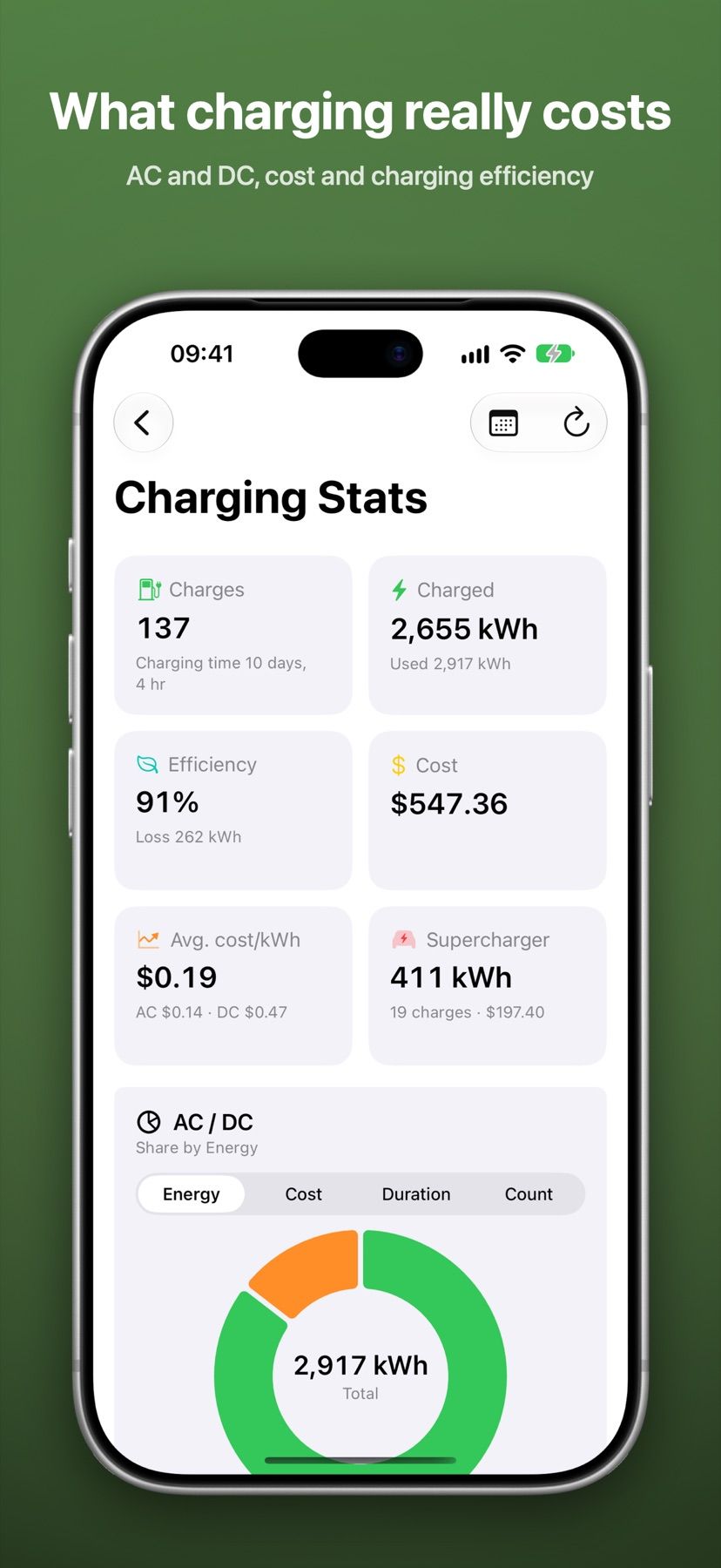
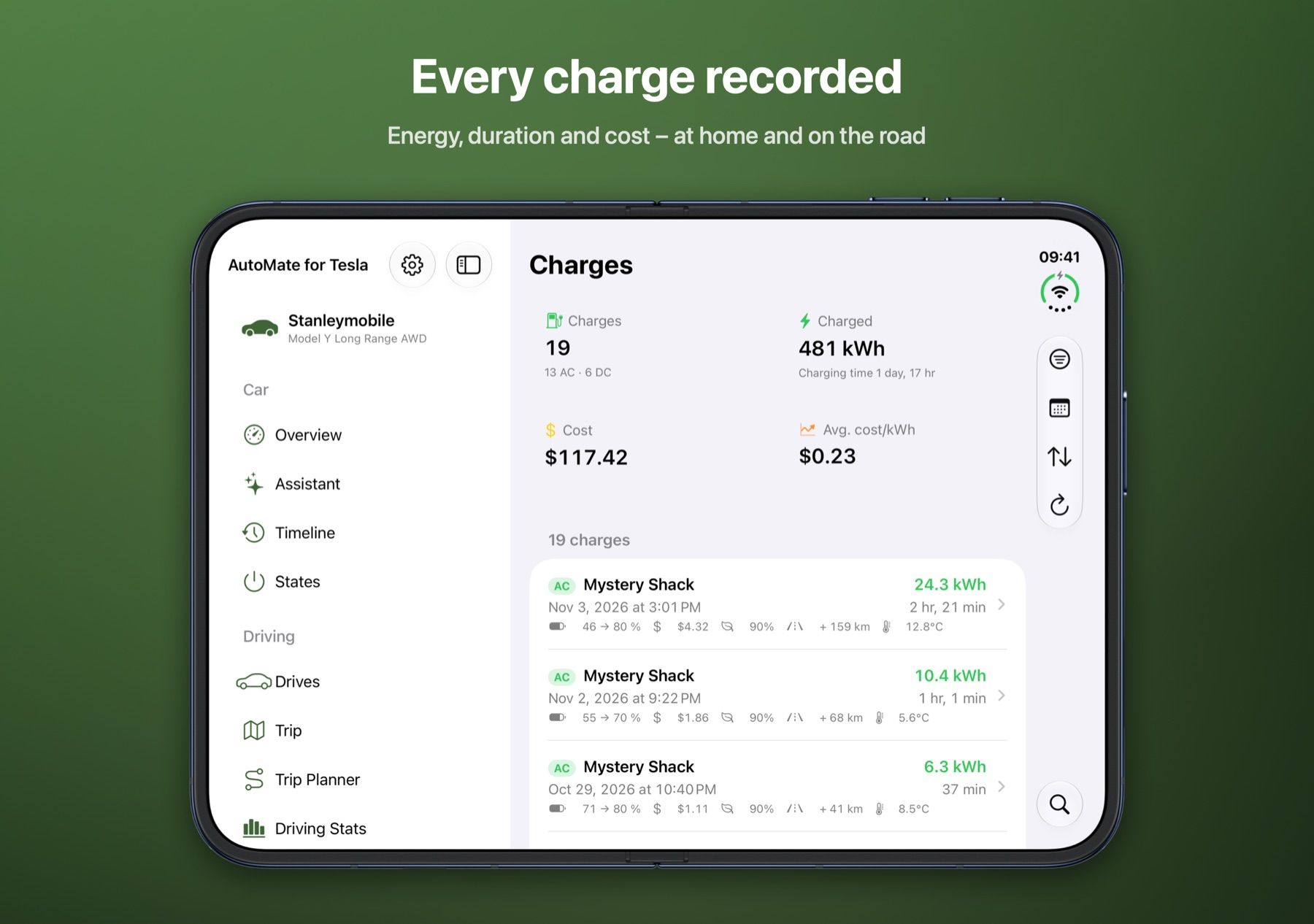
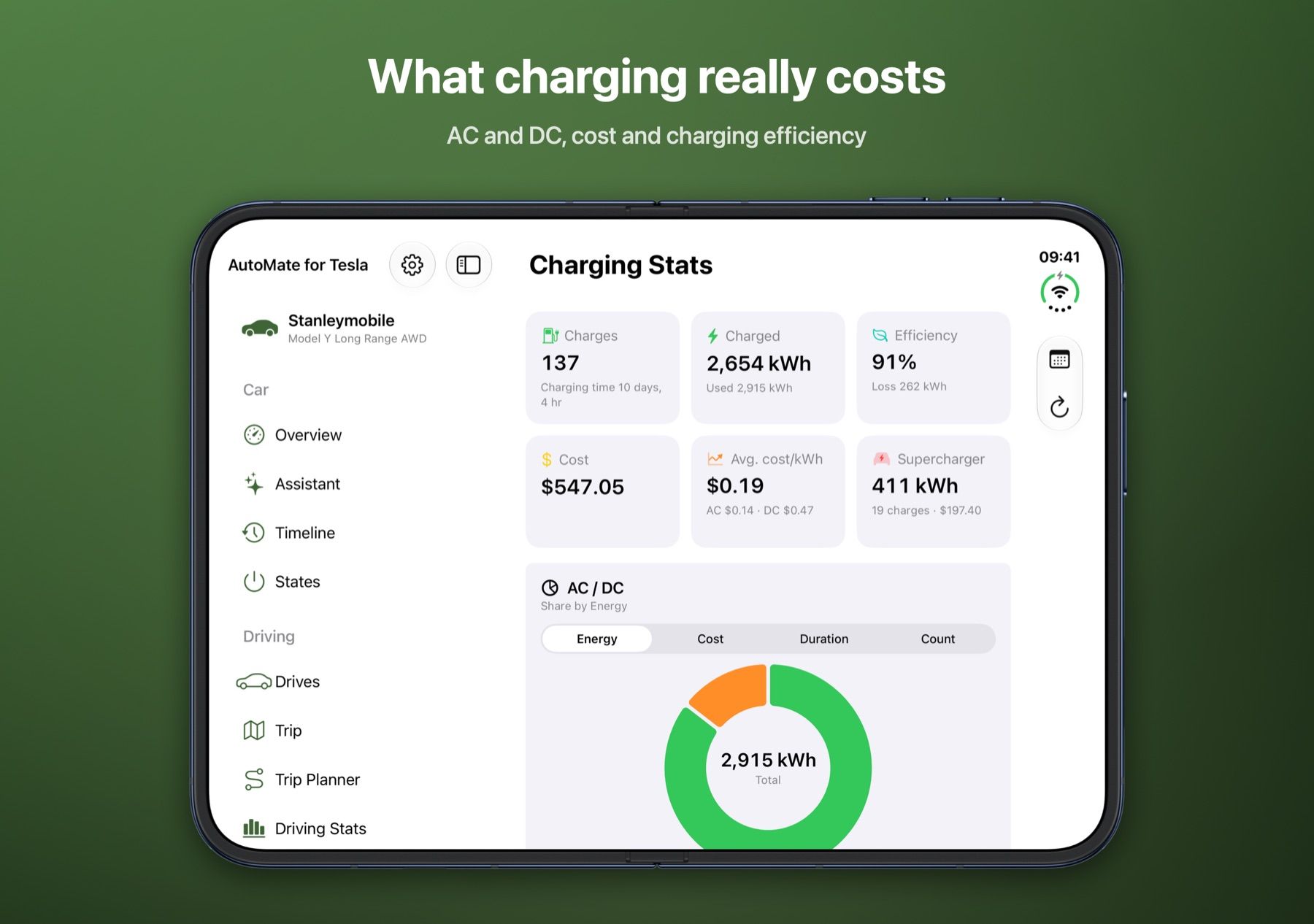
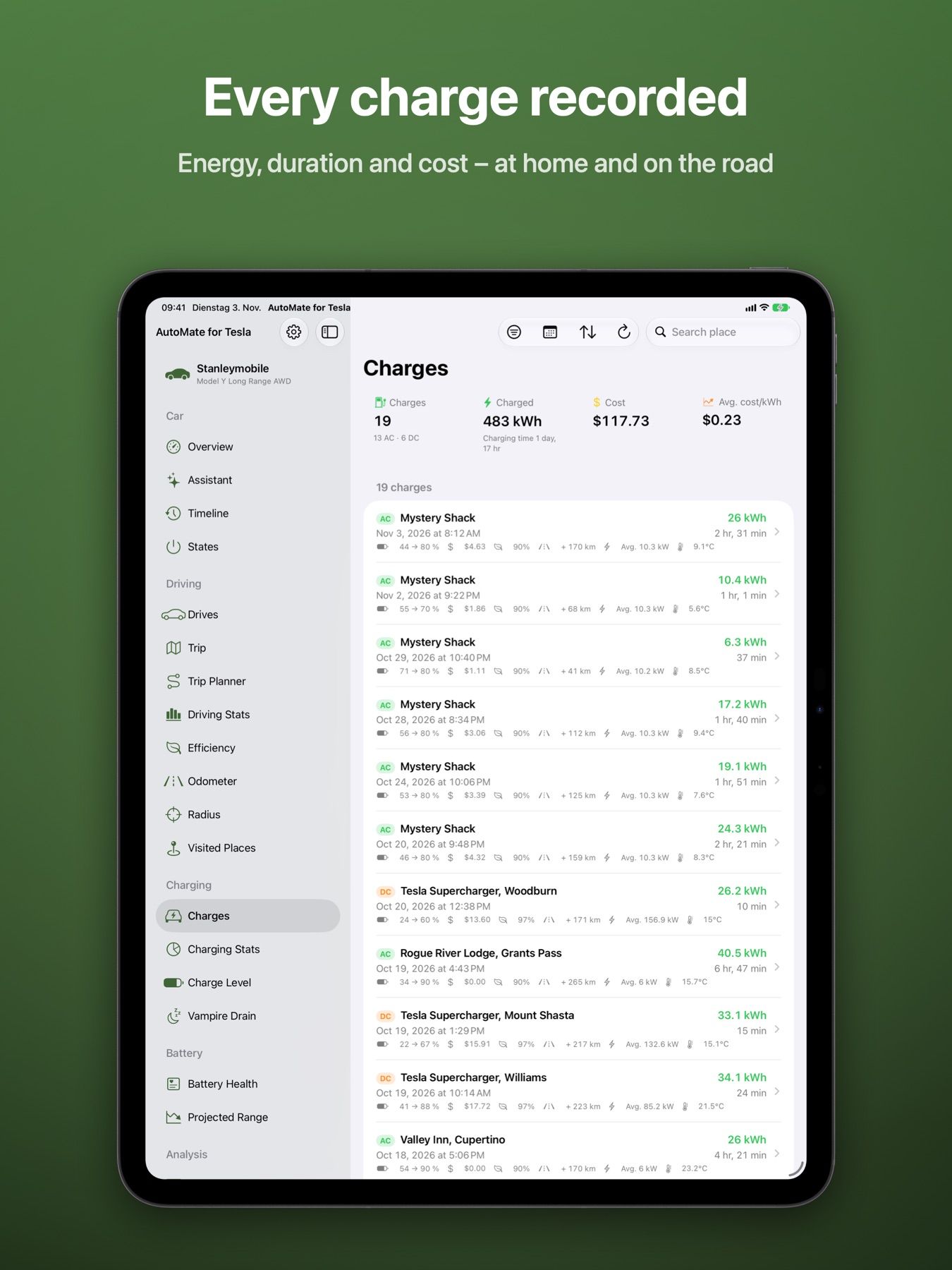
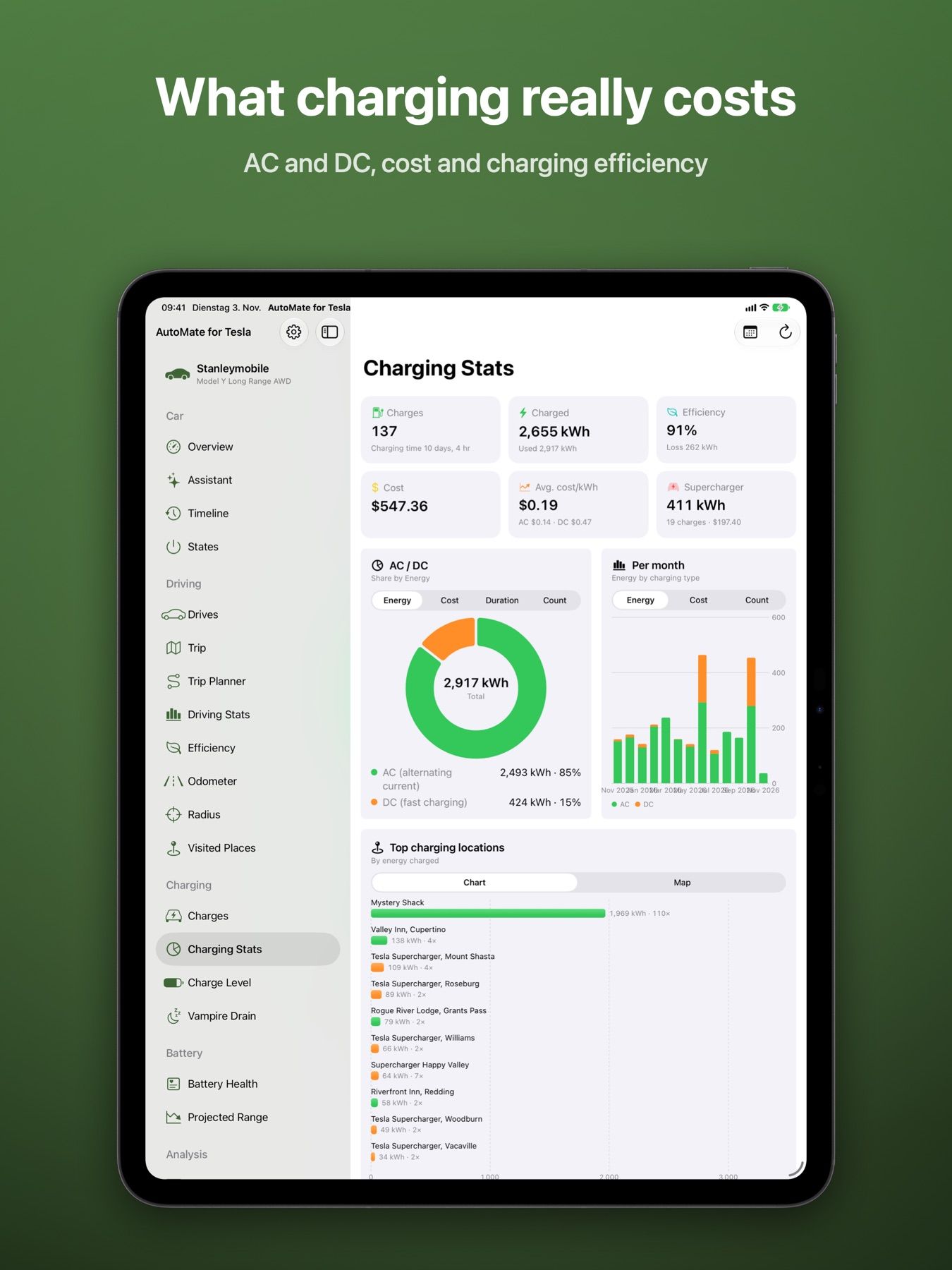
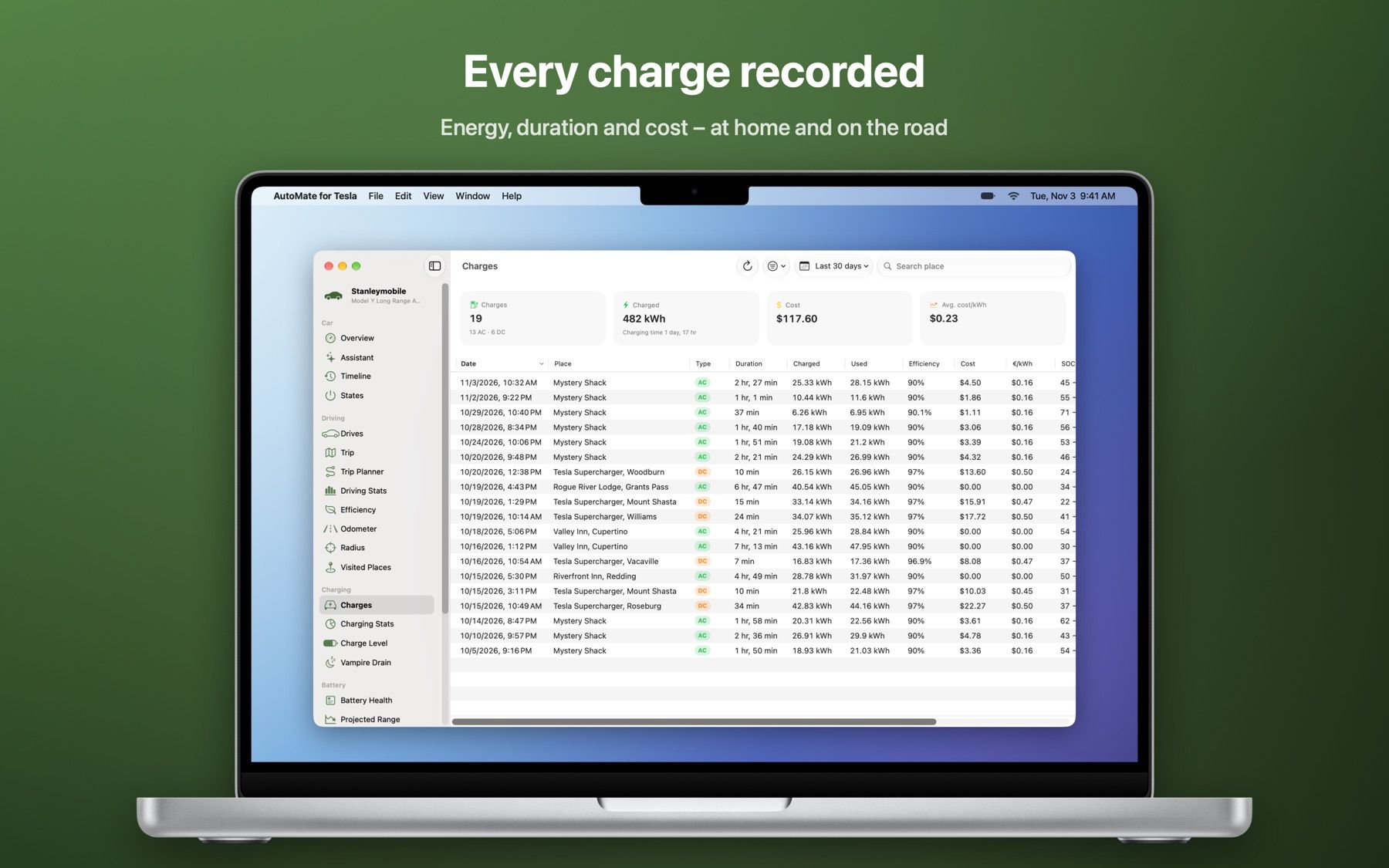
    Energy, duration, cost and charging curves – at home and at Superchargers, with AC/DC statistics.

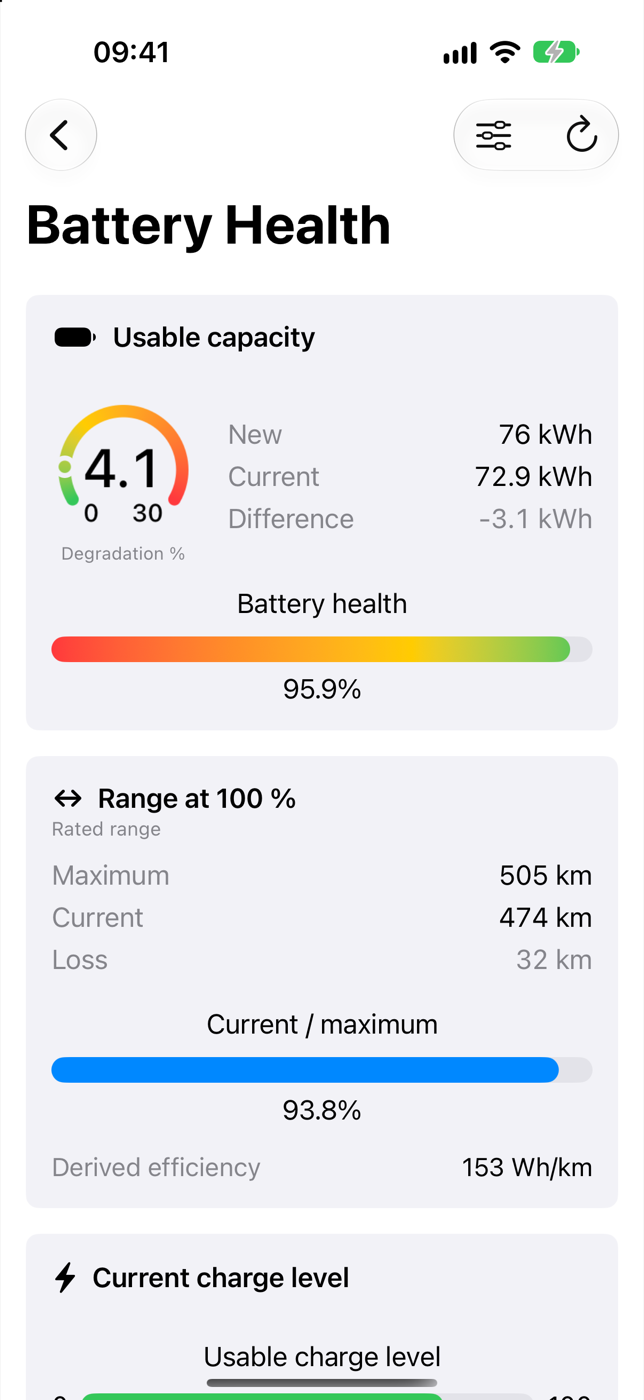
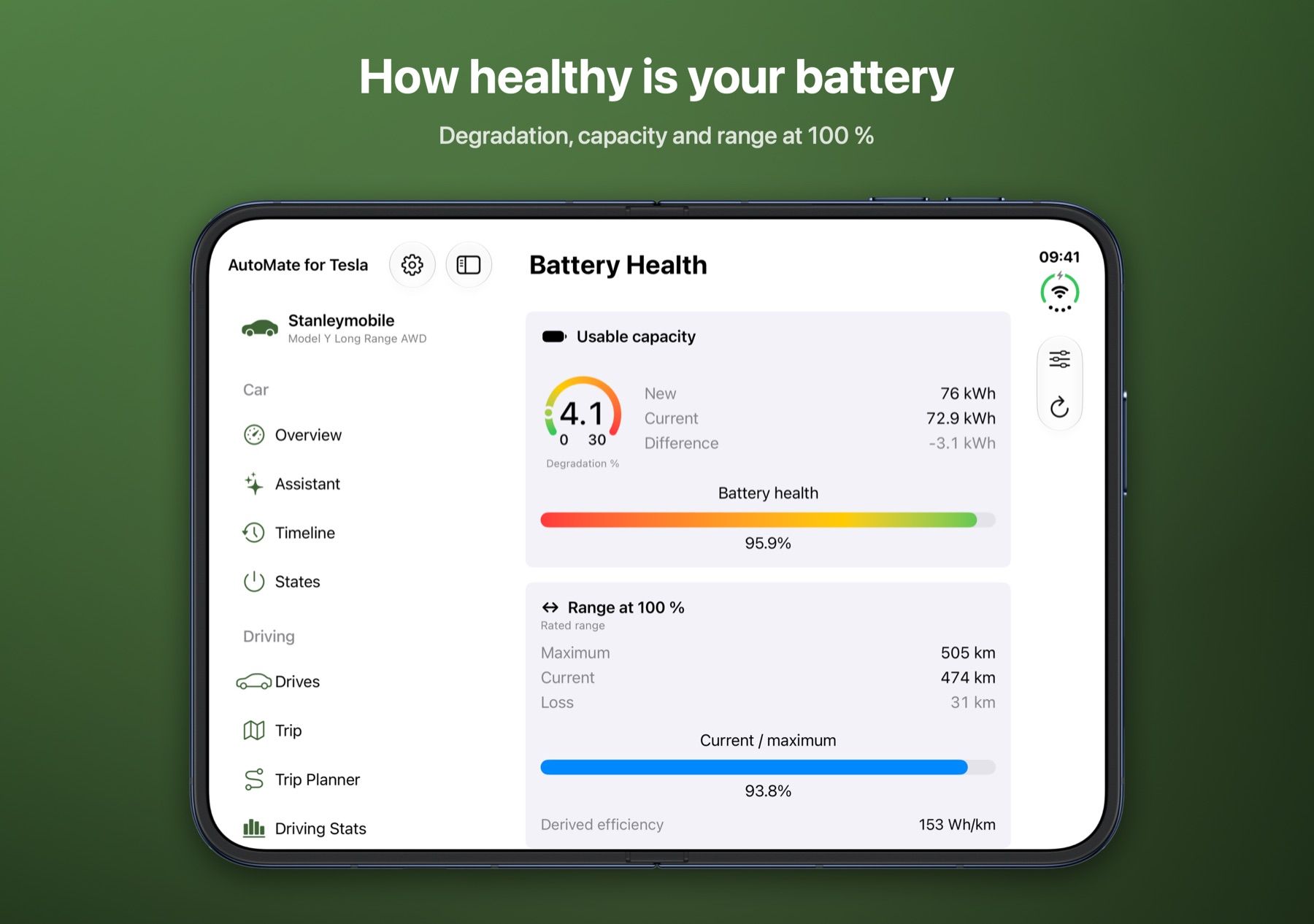
  • Battery health

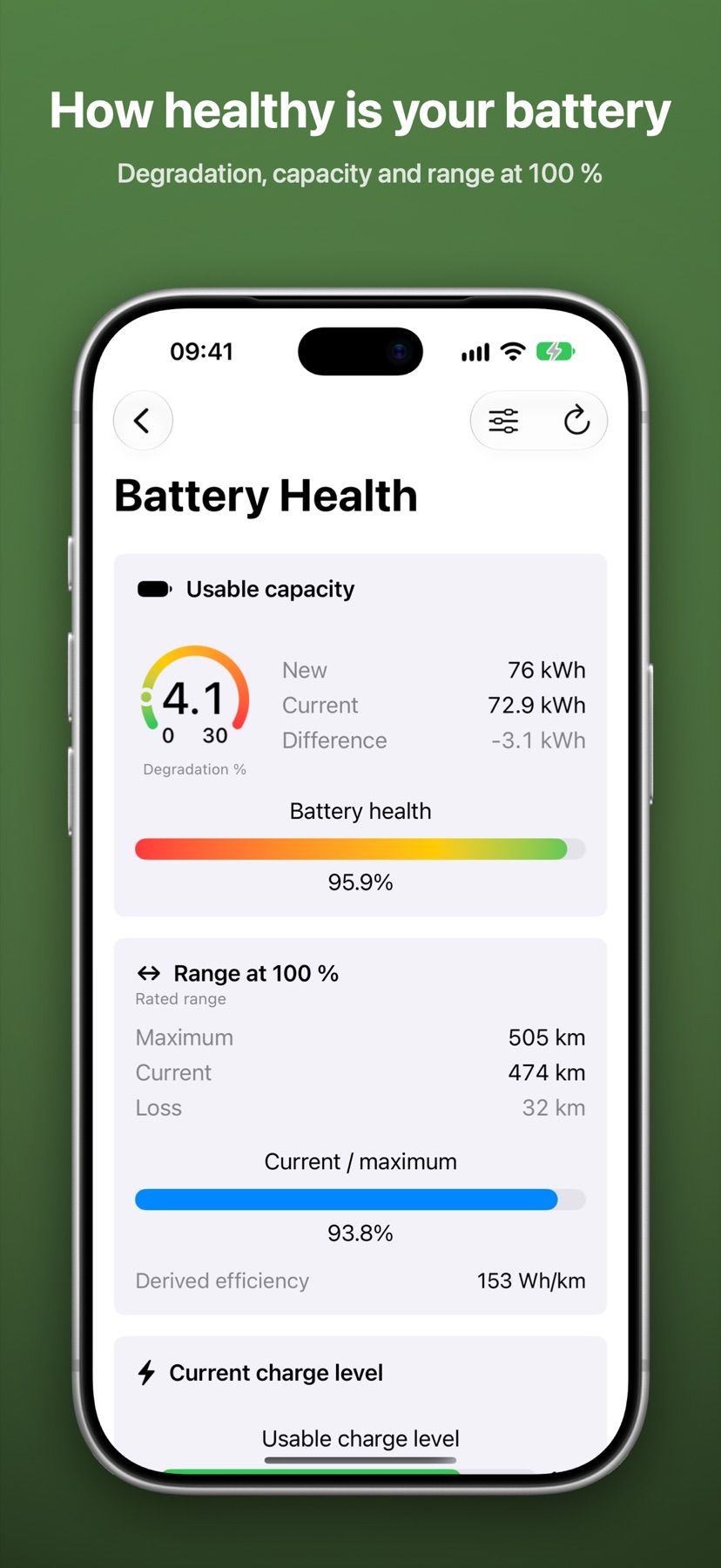
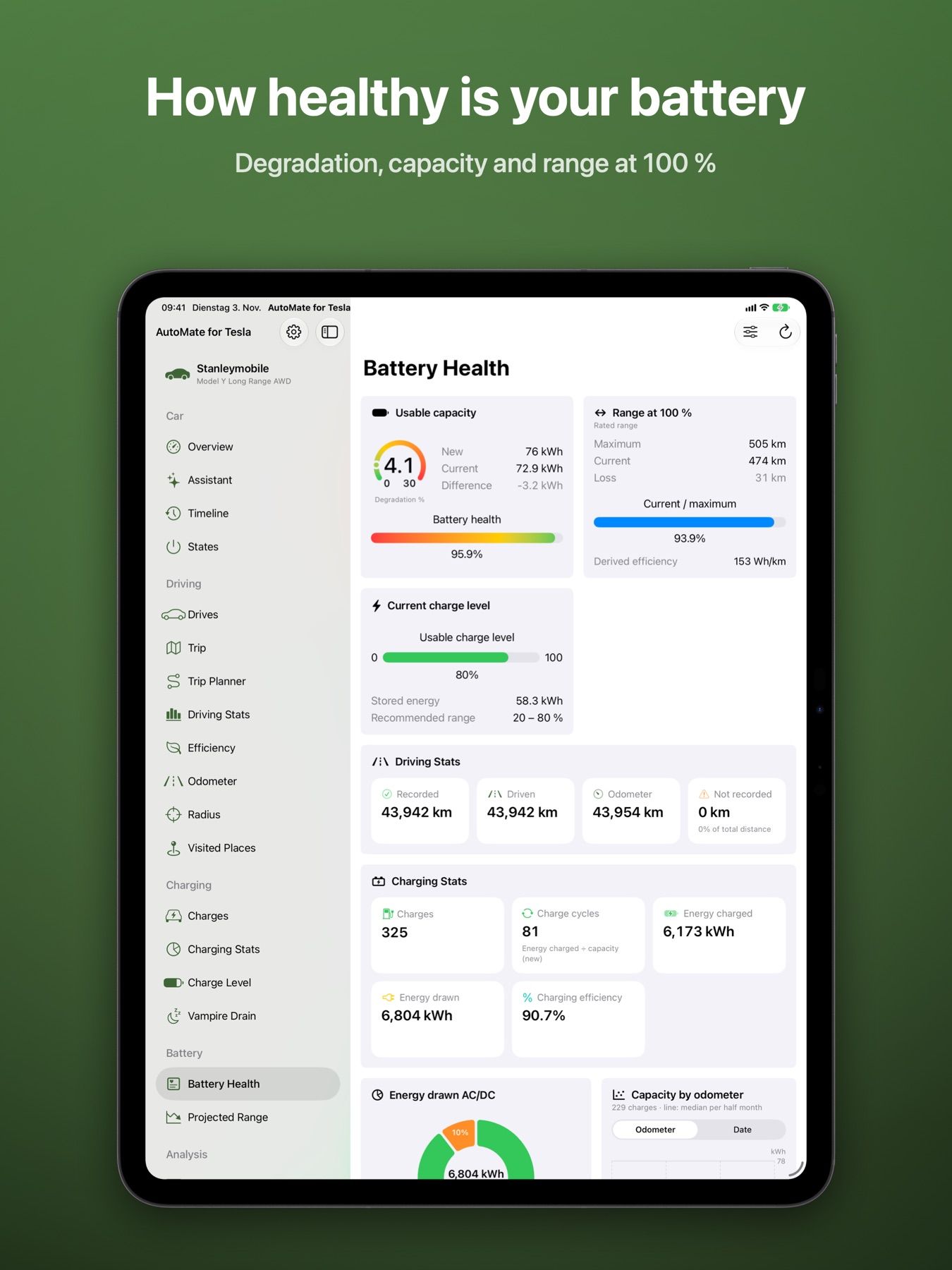
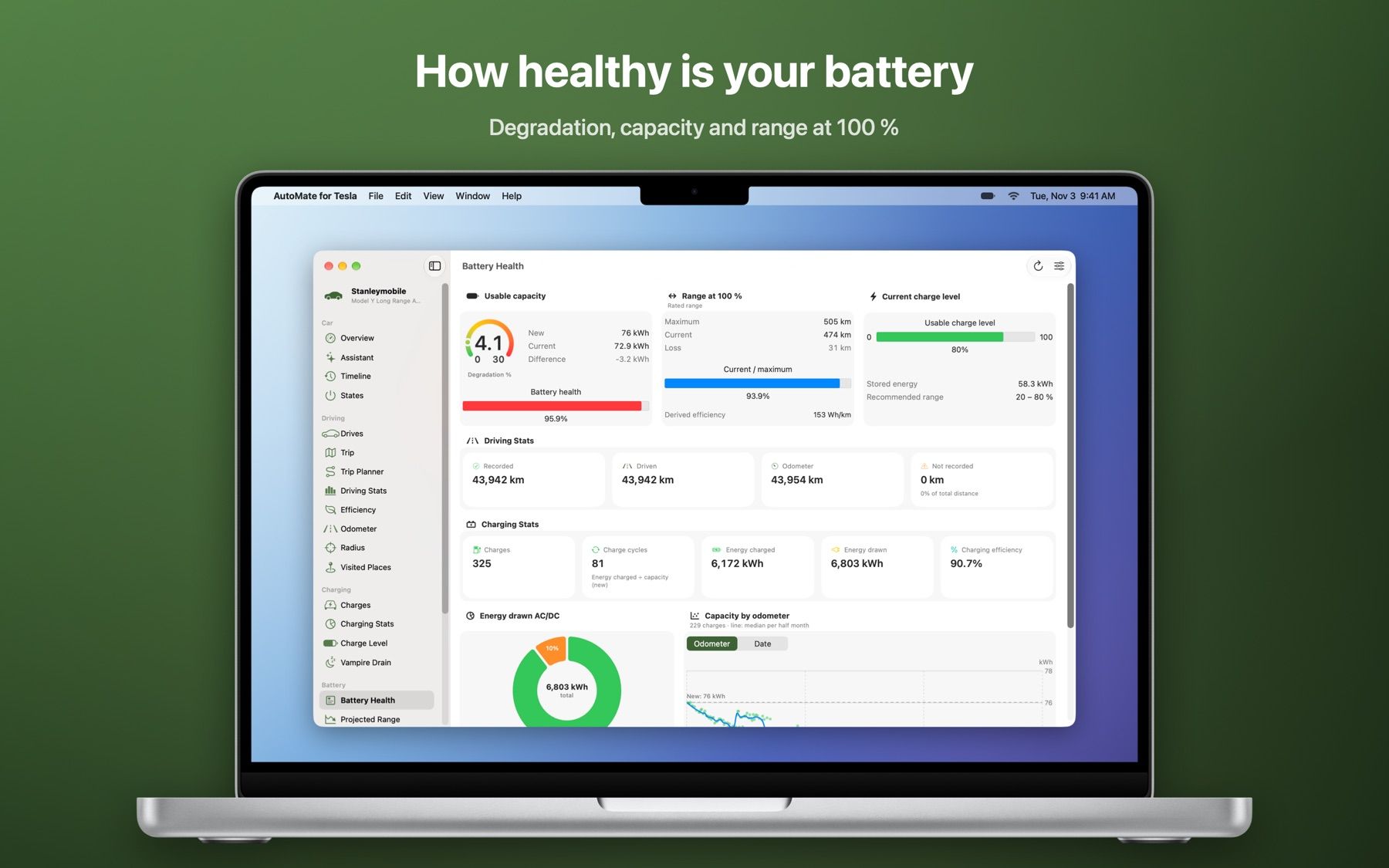
    Degradation, usable capacity and range at 100 % over the whole lifetime of the battery.

  • Visited places

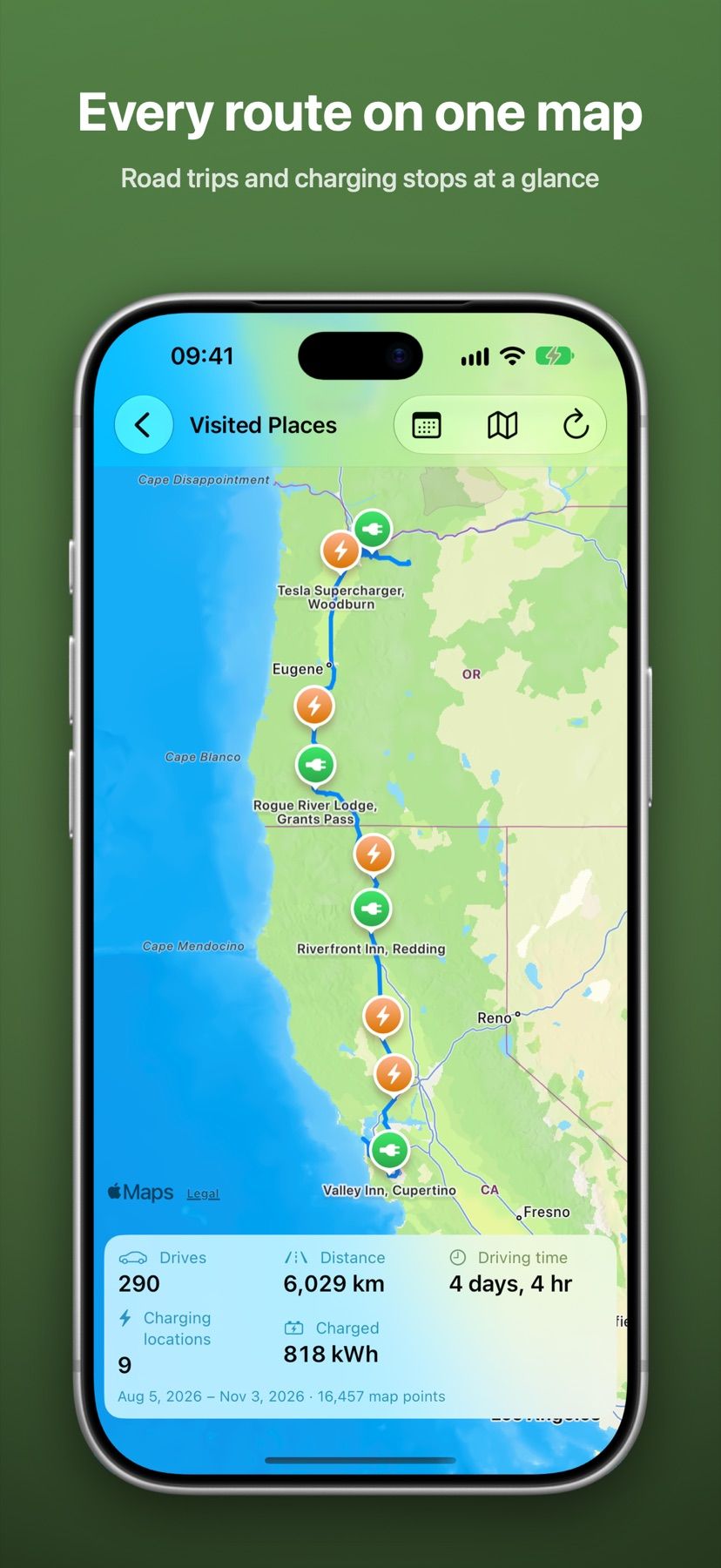
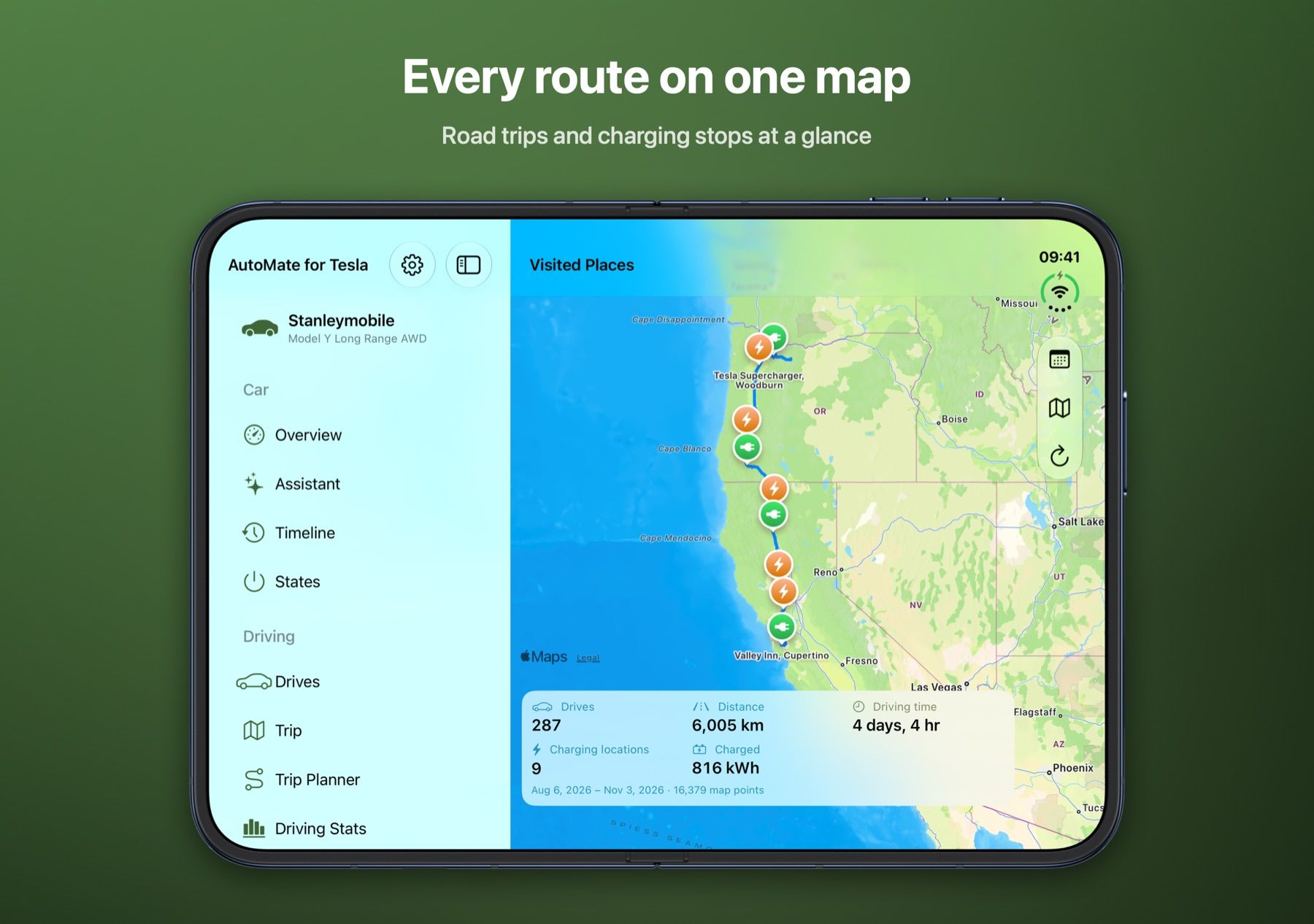
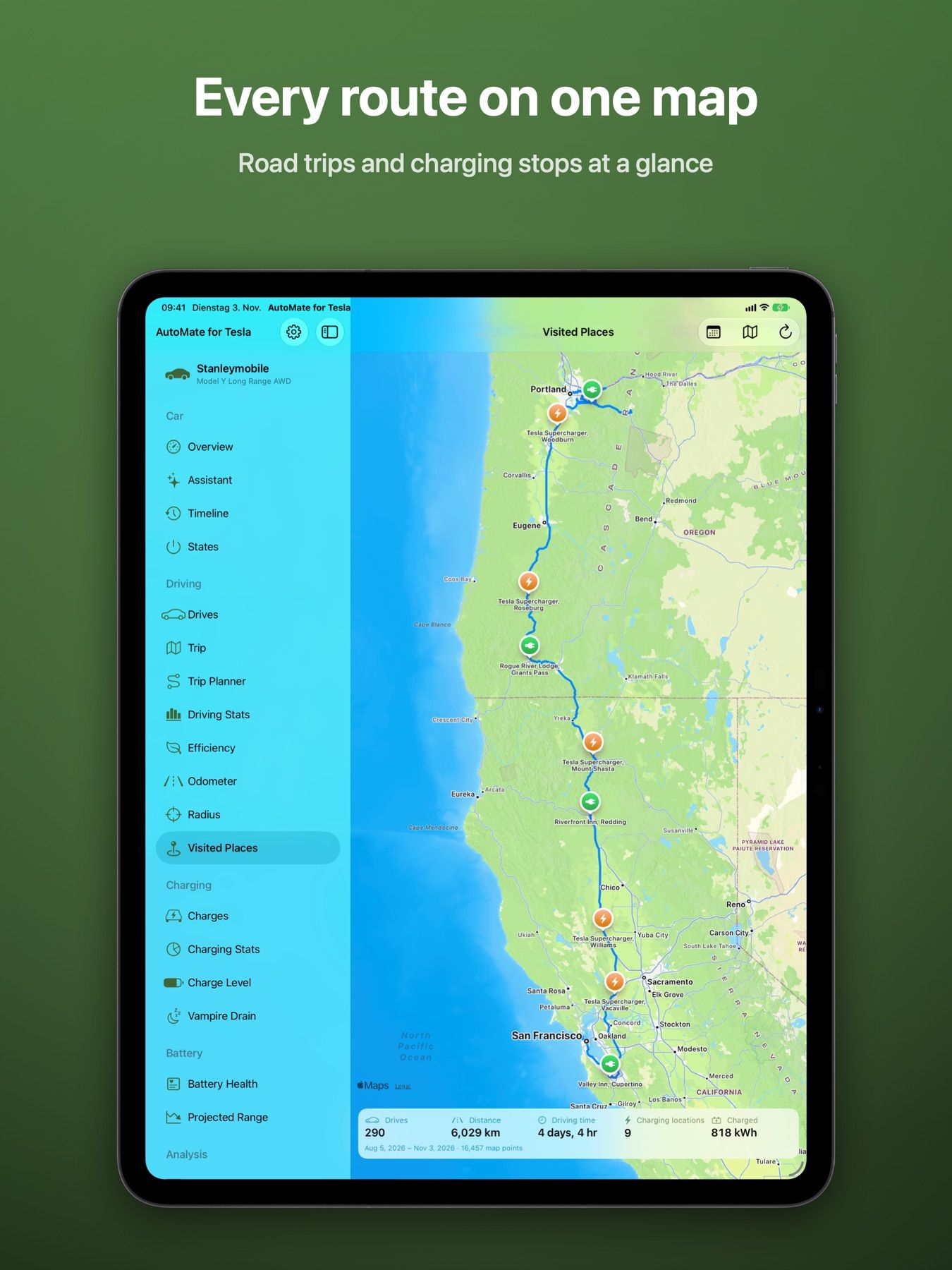
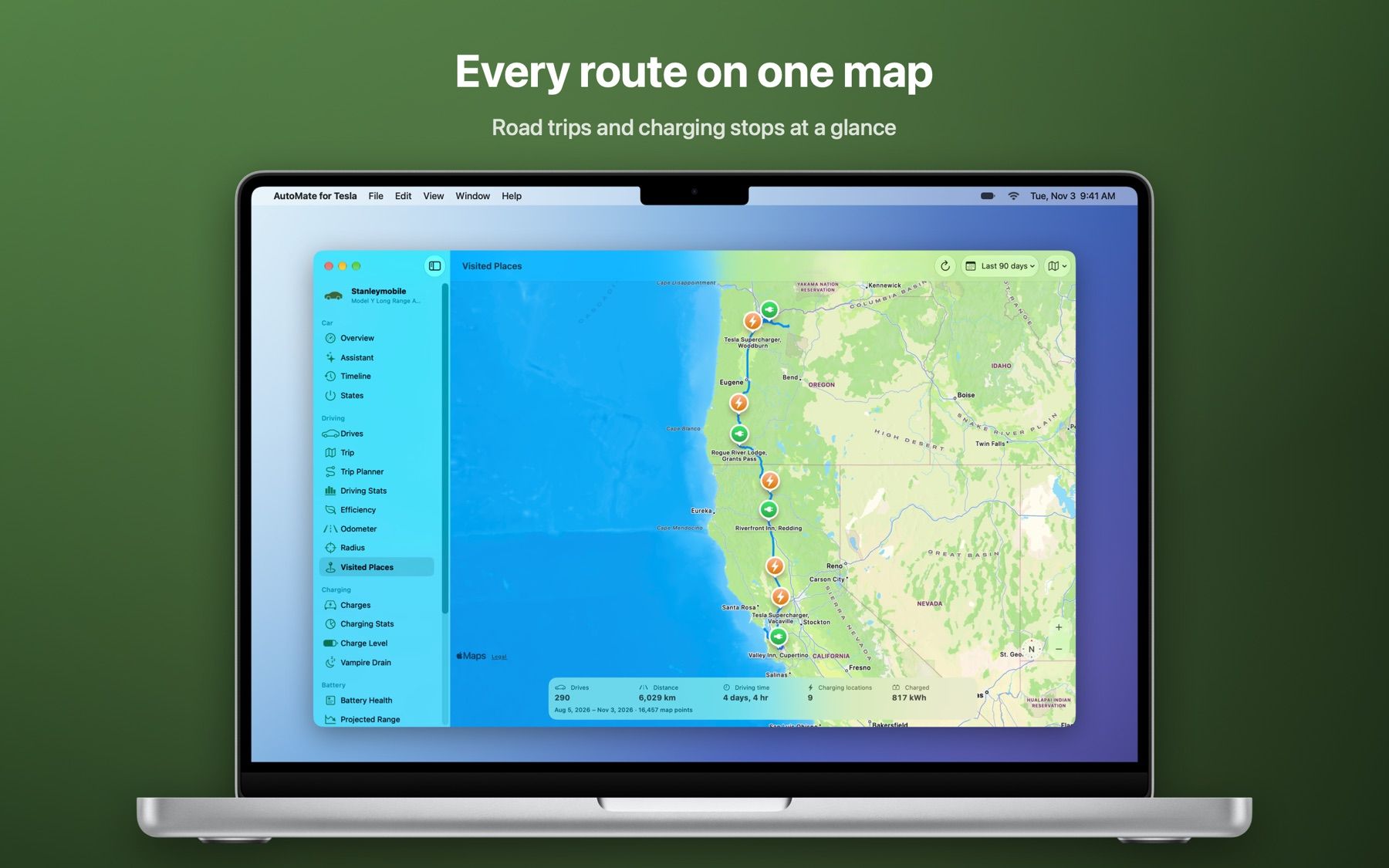
    All routes and charging locations on one map. Road trips and their charging stops at a glance.

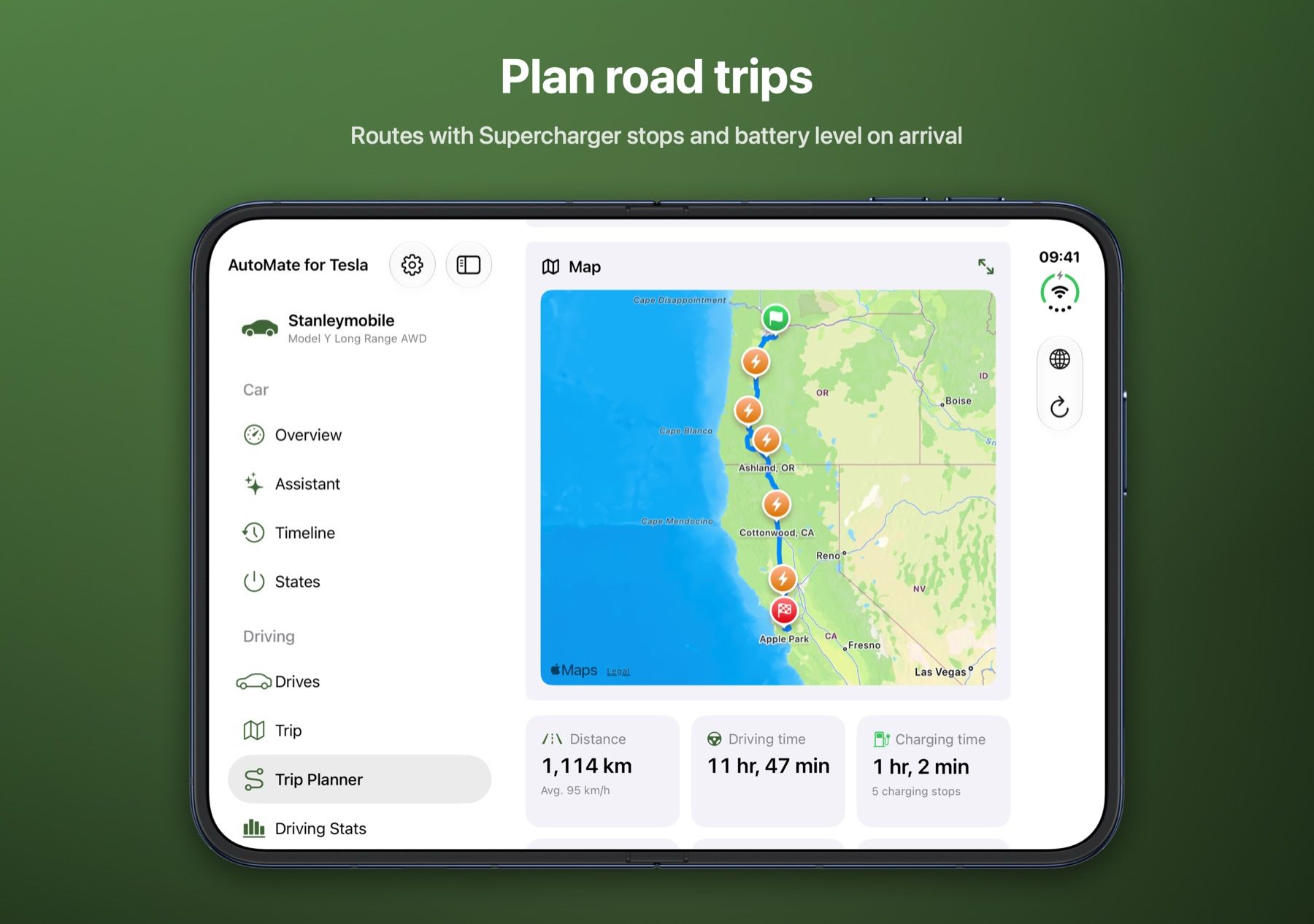
  • Route planner

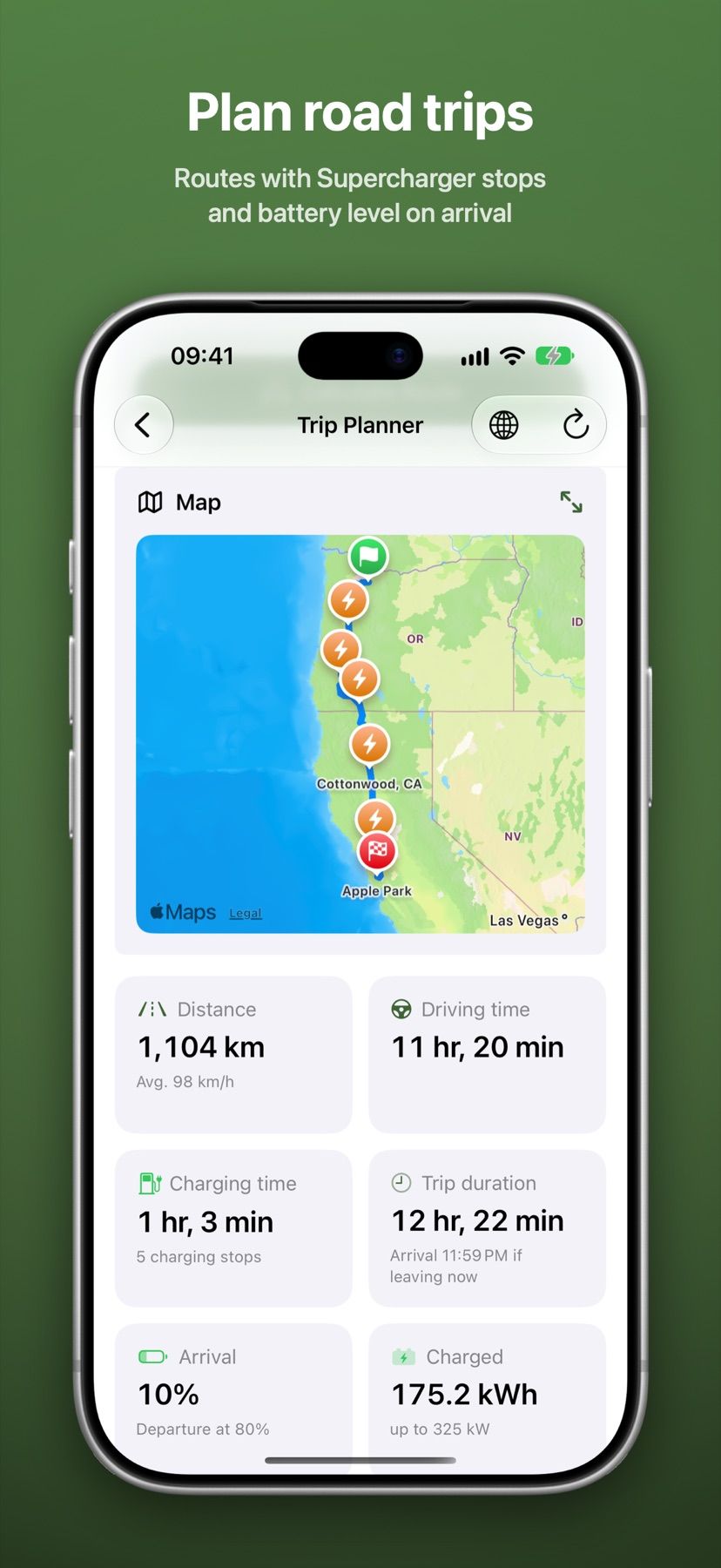
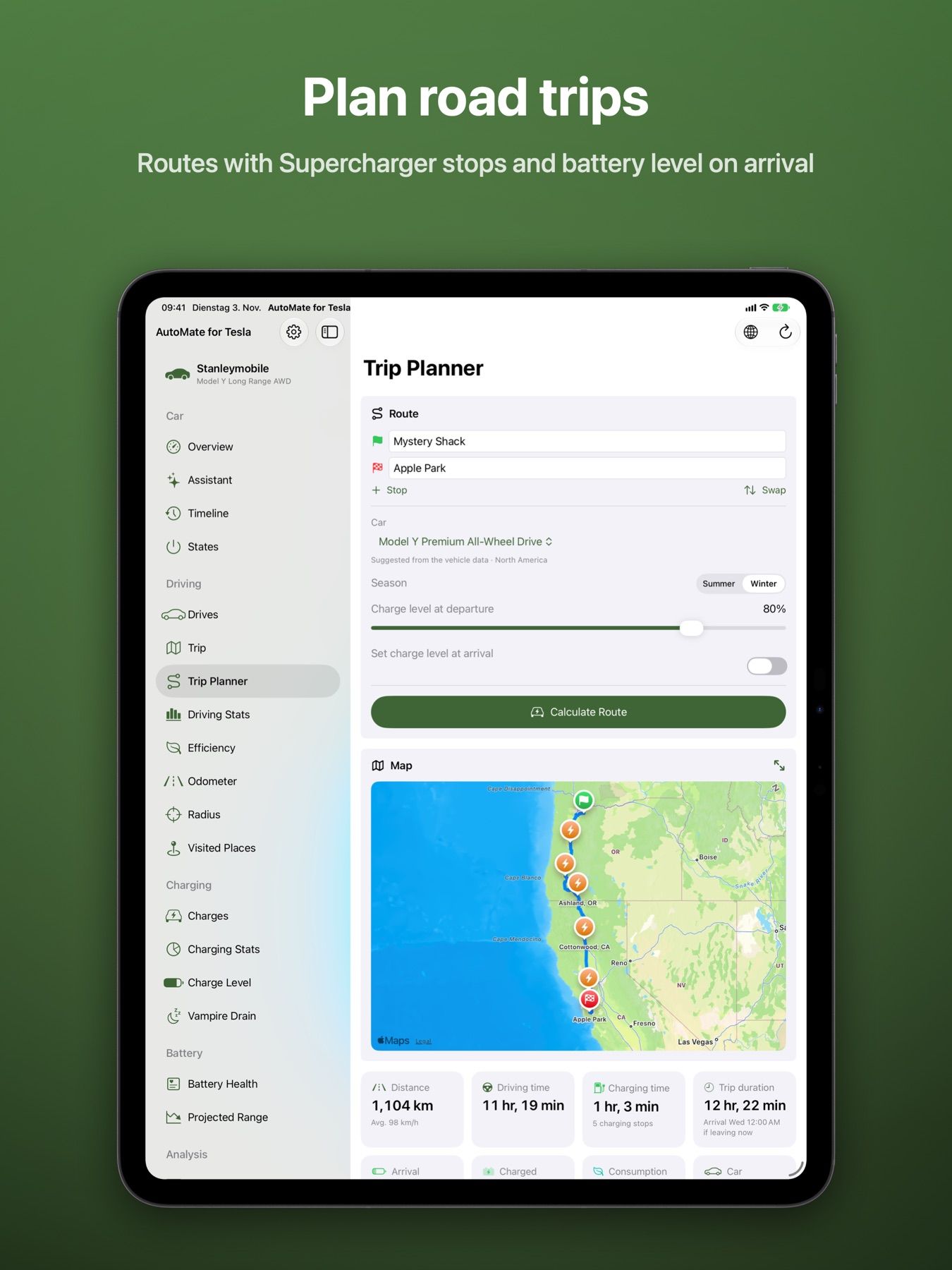
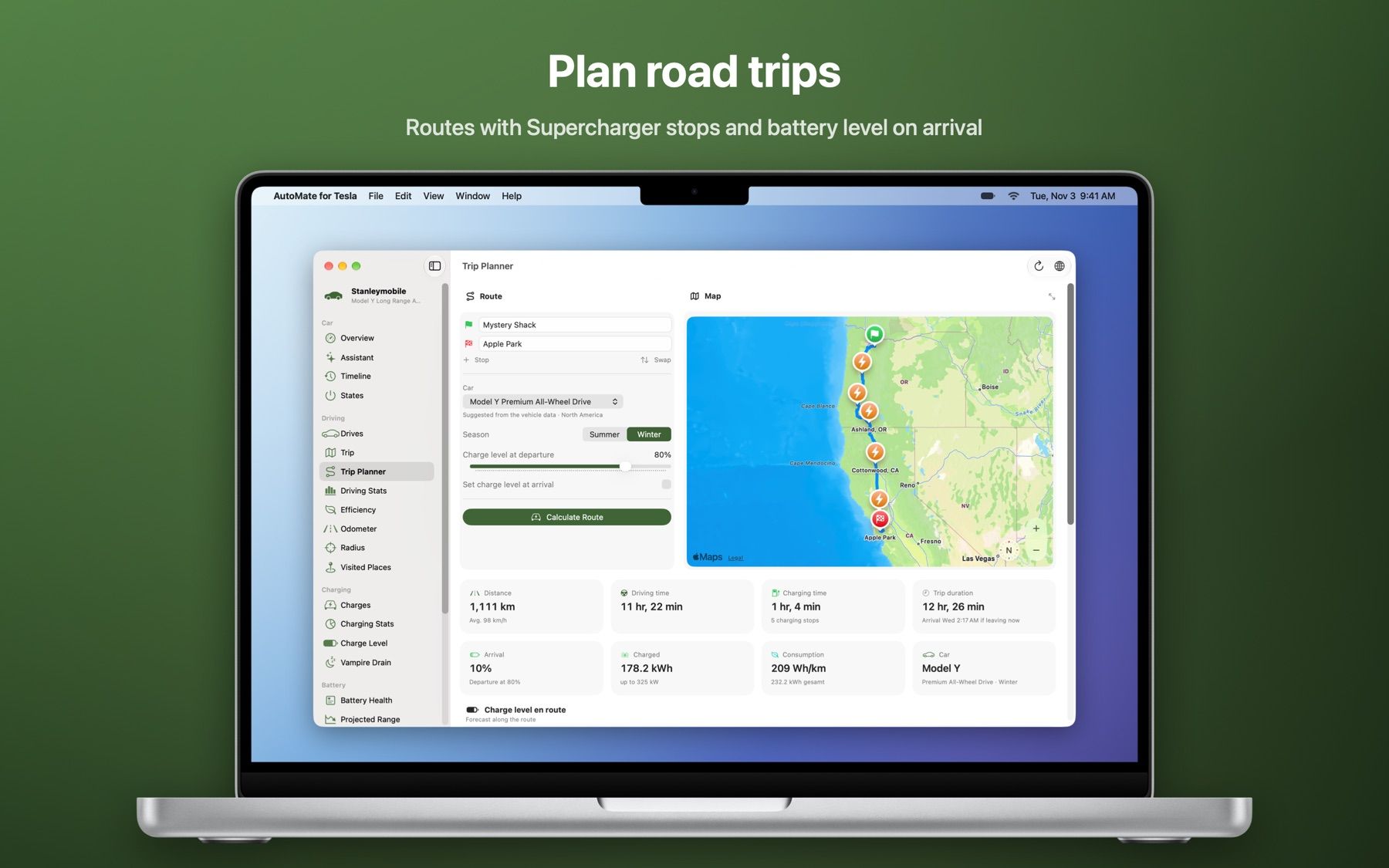
    Routes with Supercharger stops, charging times and battery level on arrival – starting where your car is.

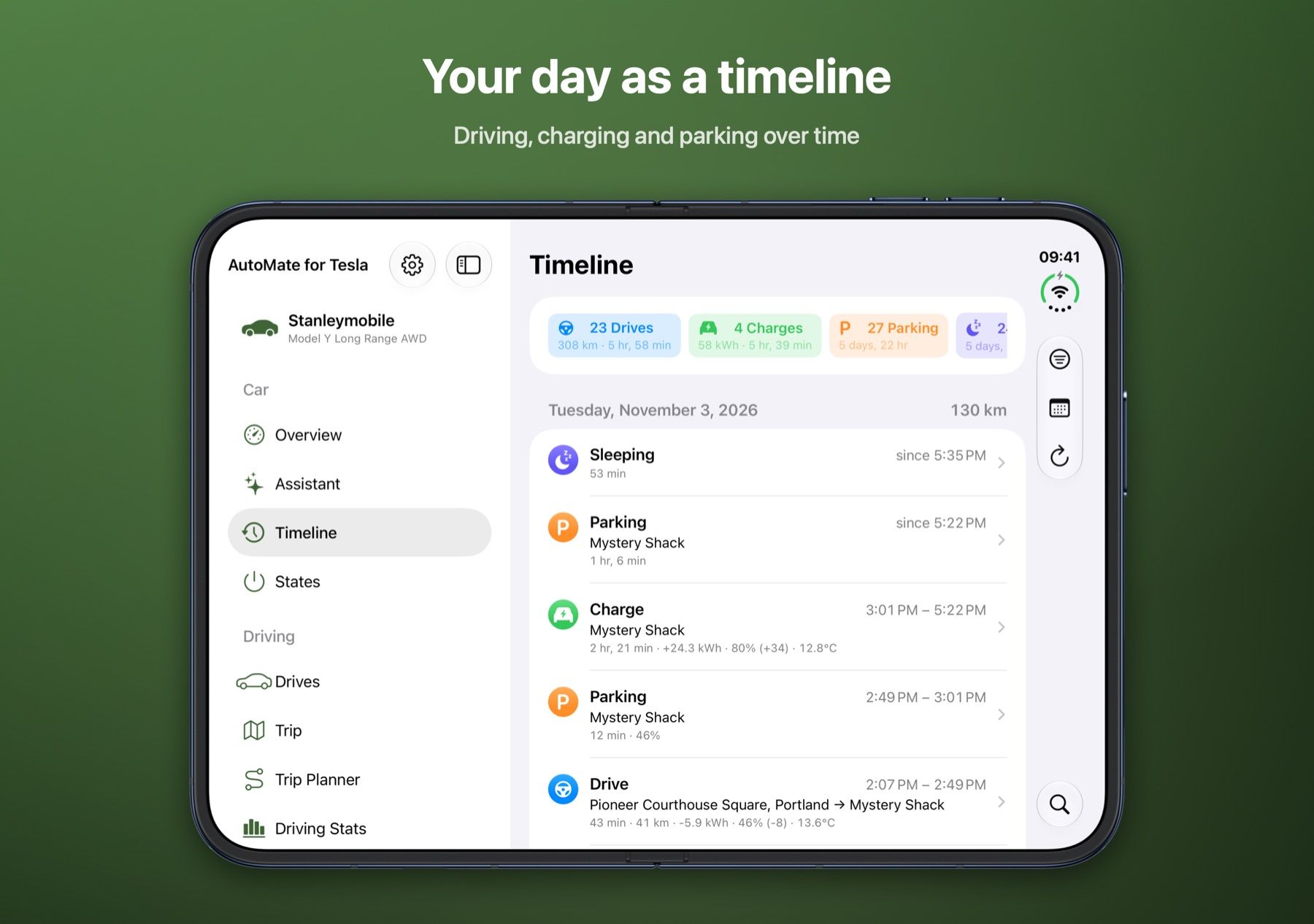
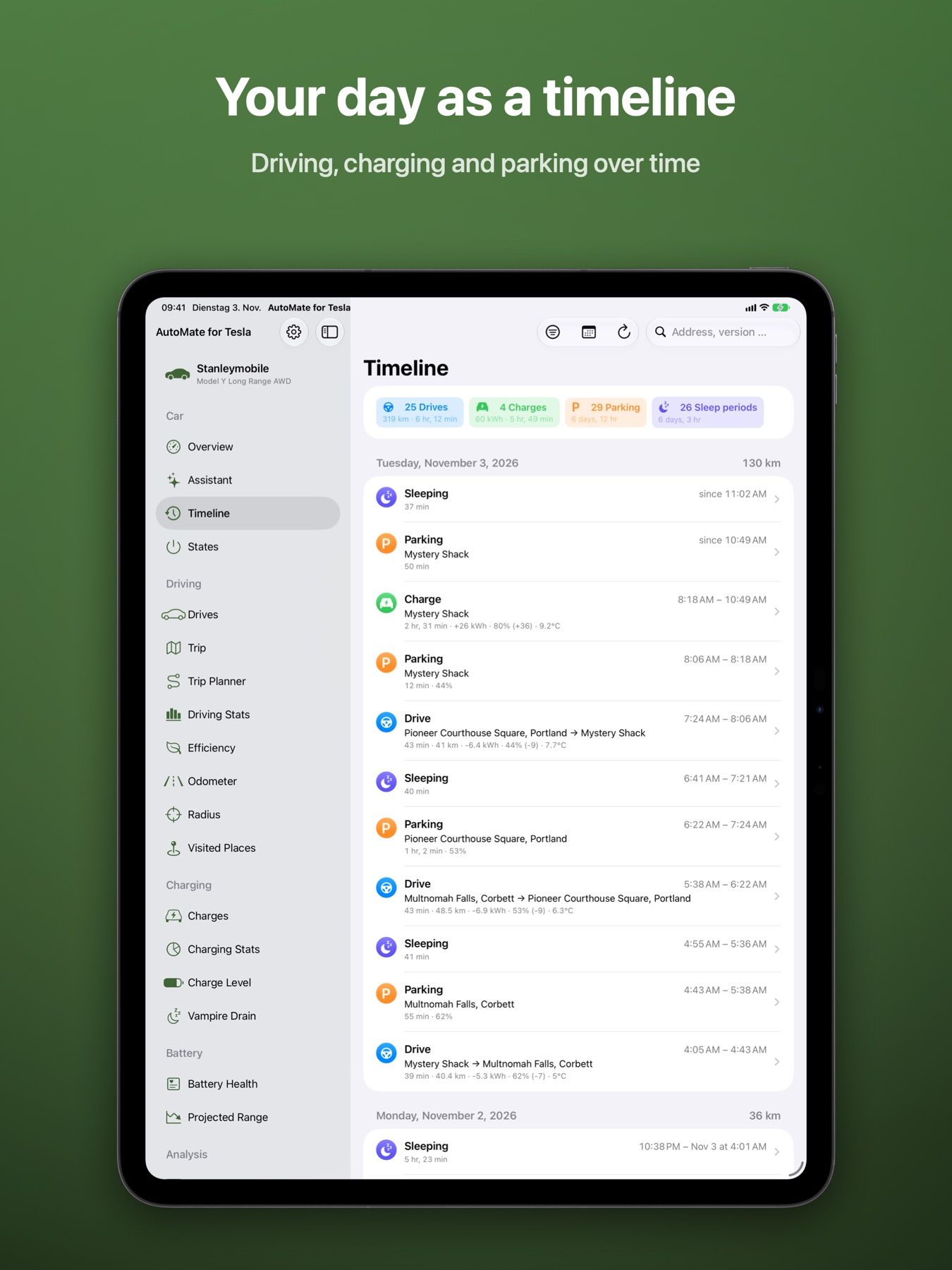
  • Timeline & statistics

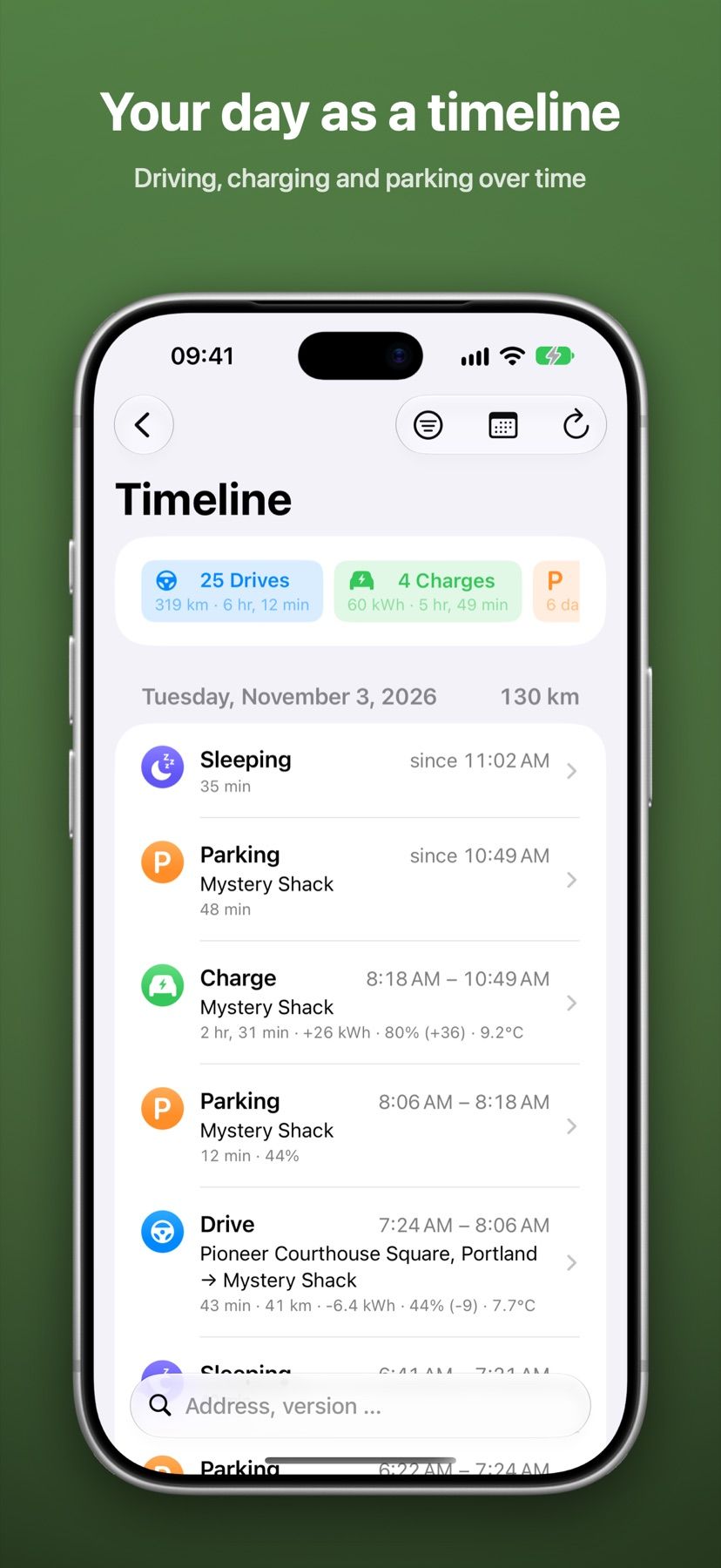
    Driving, charging, parking and updates over time. Statistics by day, week, month and year.

  • Real time via MQTT

    With TeslaMate’s MQTT broker, overview, menu bar and widgets update by the second.

  • Widgets & menu bar

    Vehicle status on the Home and Lock Screen, and live in the menu bar on the Mac.

Your own server

TeslaMate right on your Mac

No server yet? The Mac app sets up TeslaMate, Grafana, PostgreSQL and Mosquitto with Apple’s container – no Docker, no Terminal. The instance keeps running in the background, even when the app is closed.

  • Import or export an existing TeslaMate backup
  • Sign in to Tesla right from the app
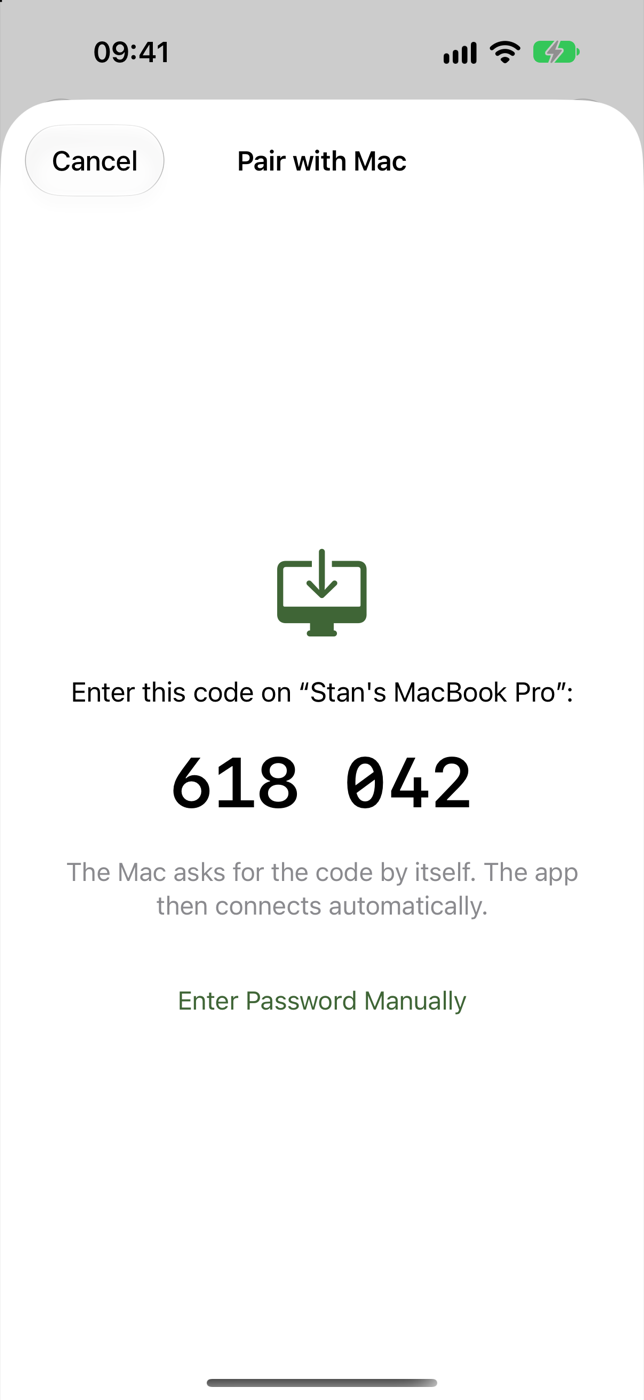
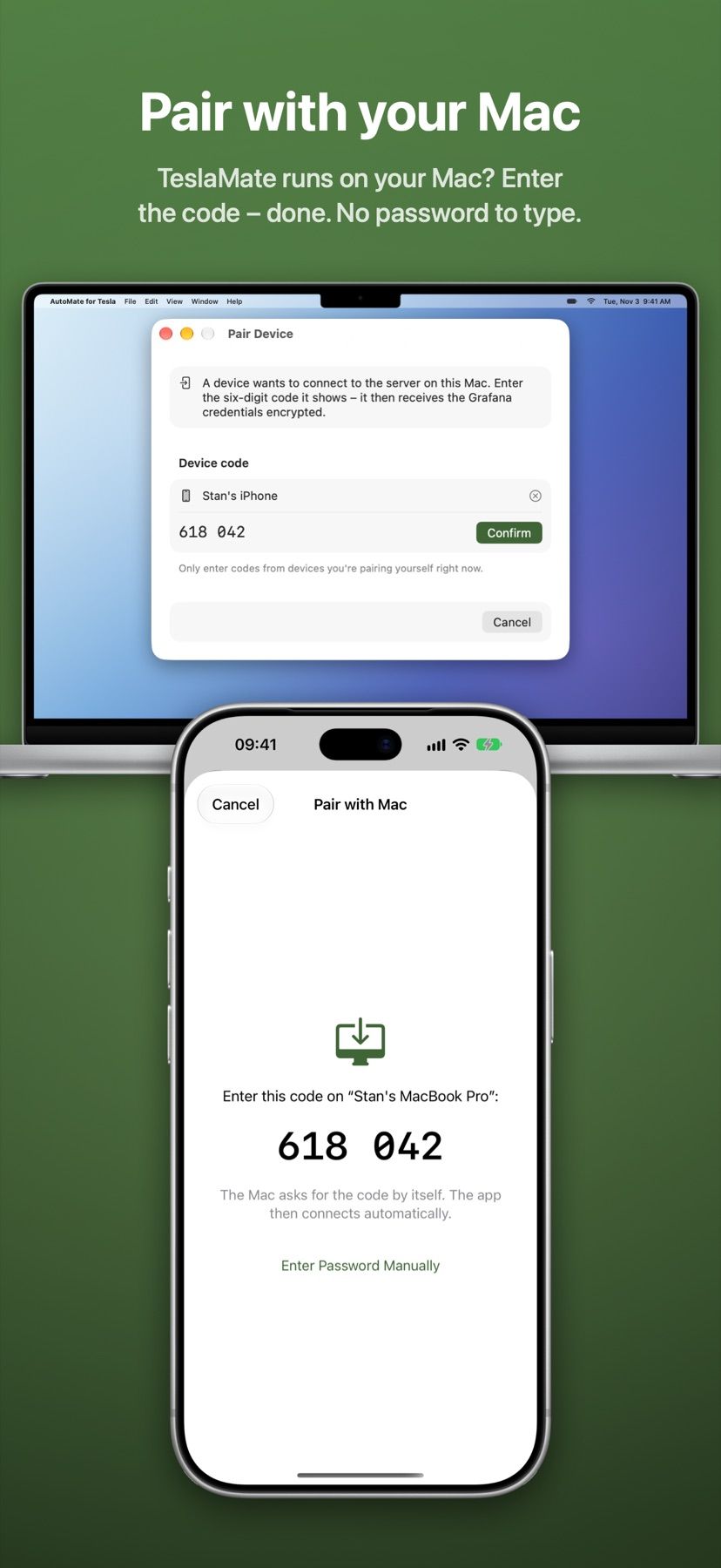
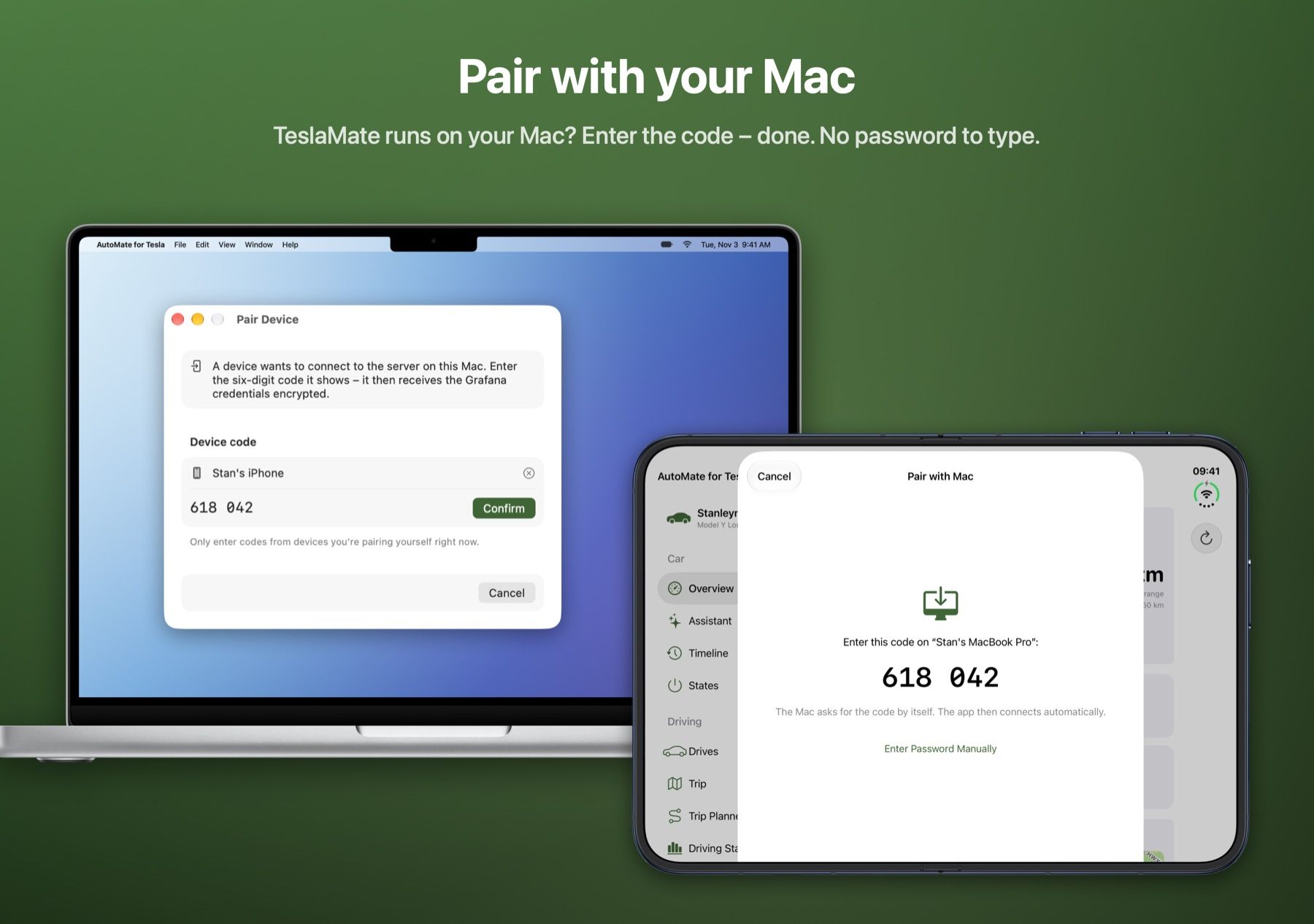
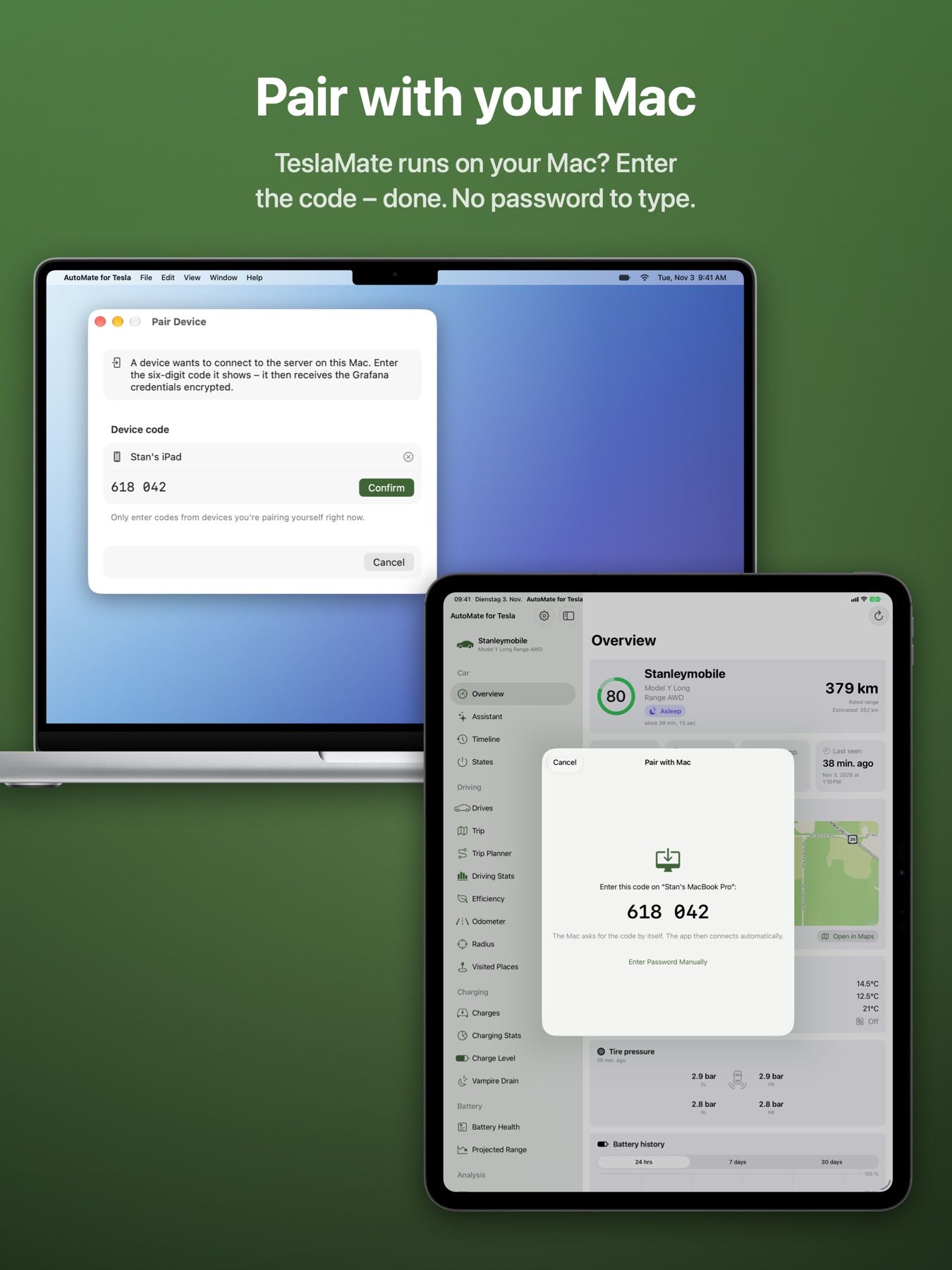
  • iPhone and iPad find the Mac on the network and pair with a code – no password to type
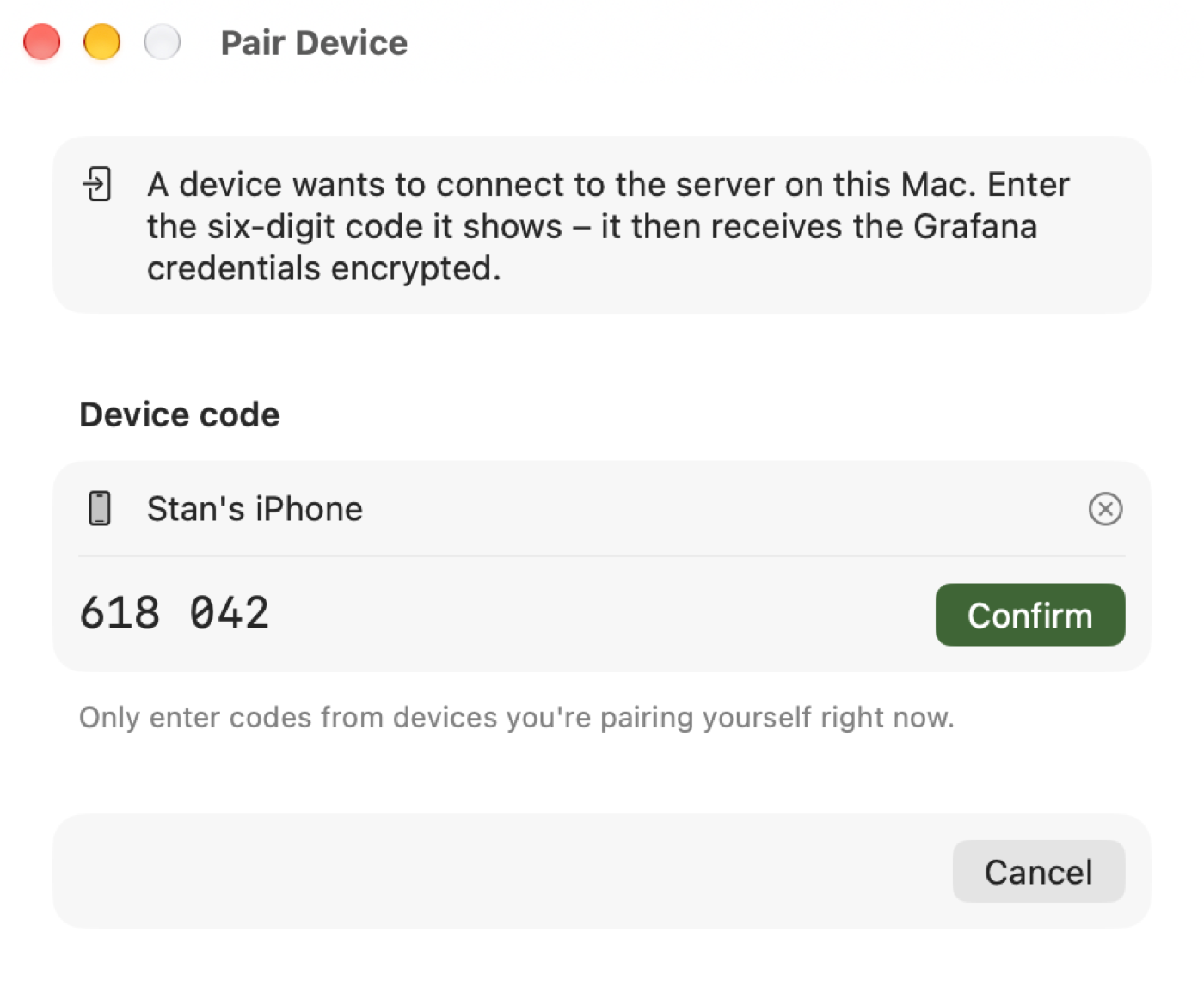
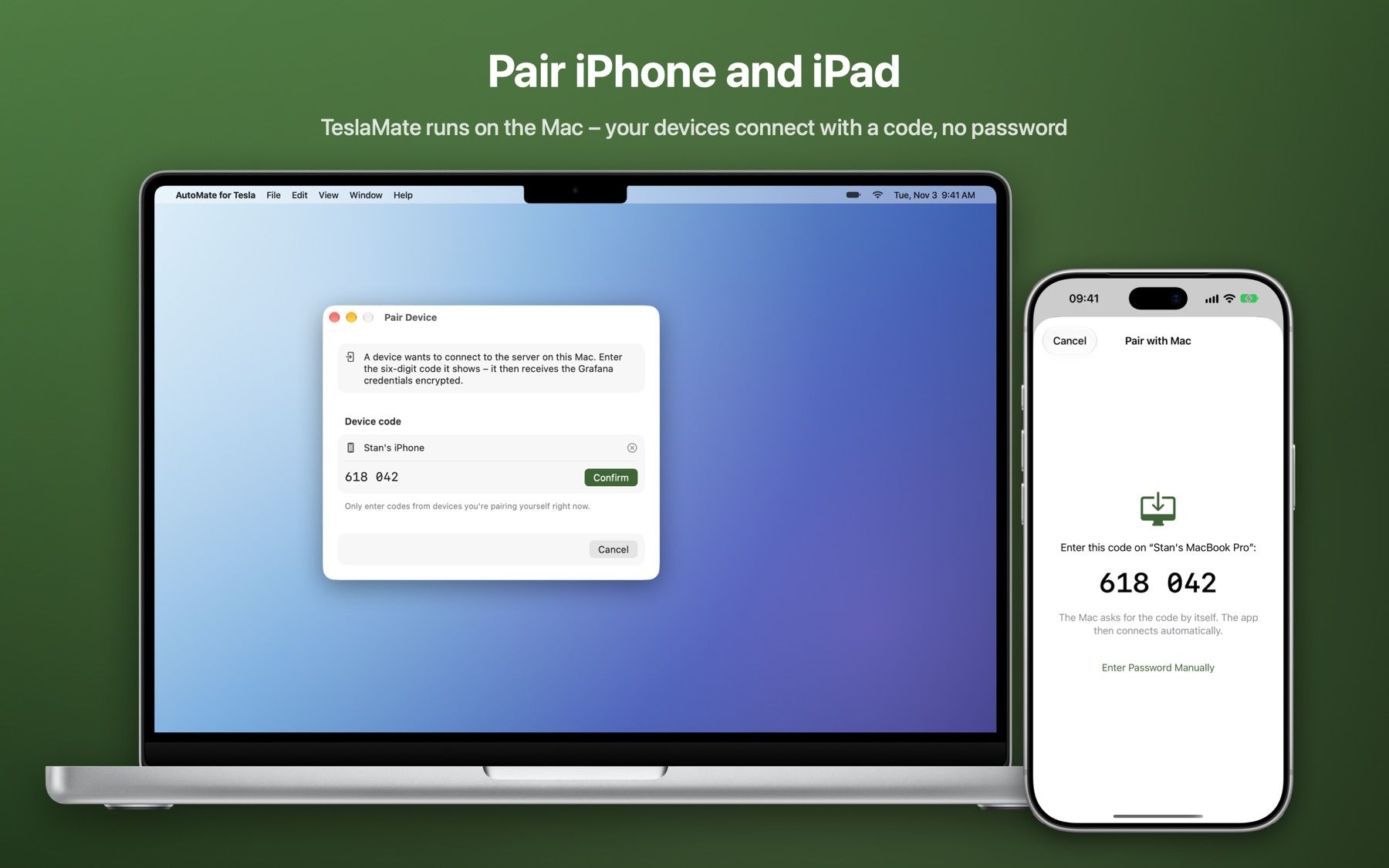
The “Pair device” window on the Mac showing the code 618 042
The iPhone shows the same pairing code 618 042
Assistant

Ask your car – privately

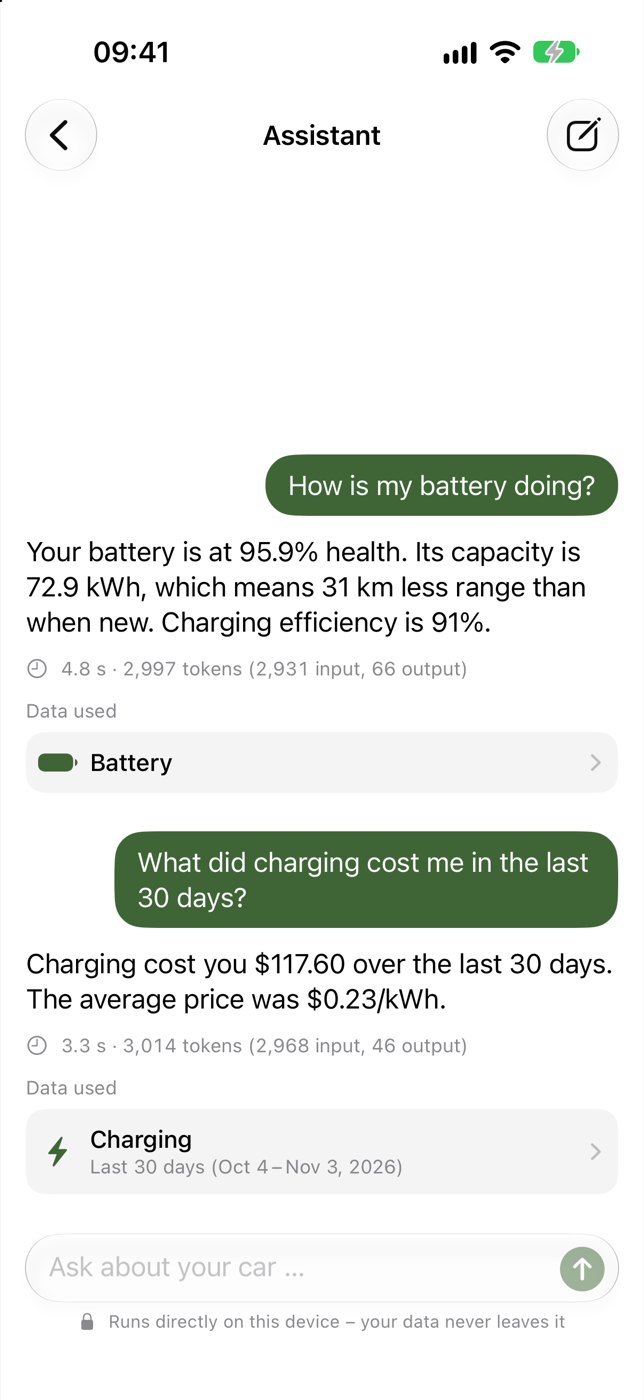
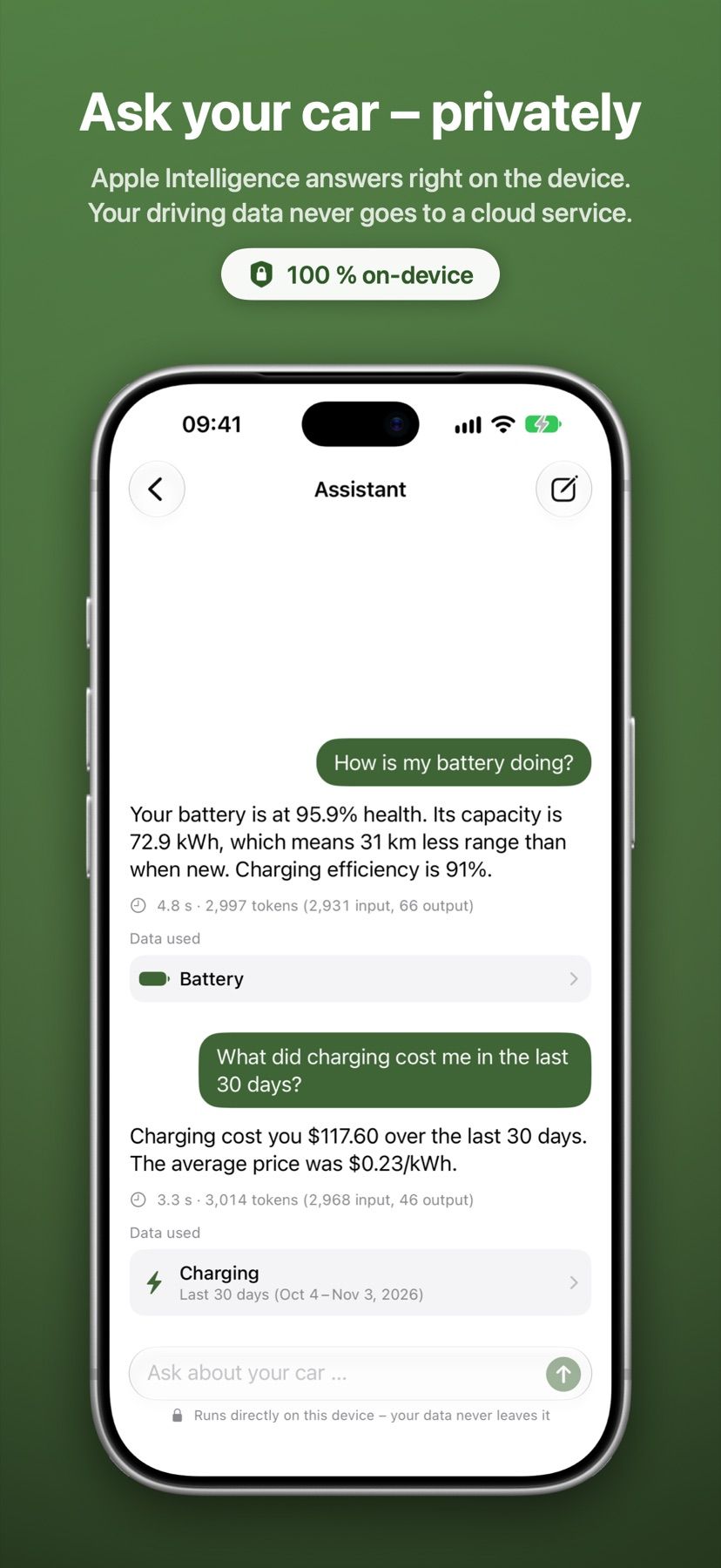
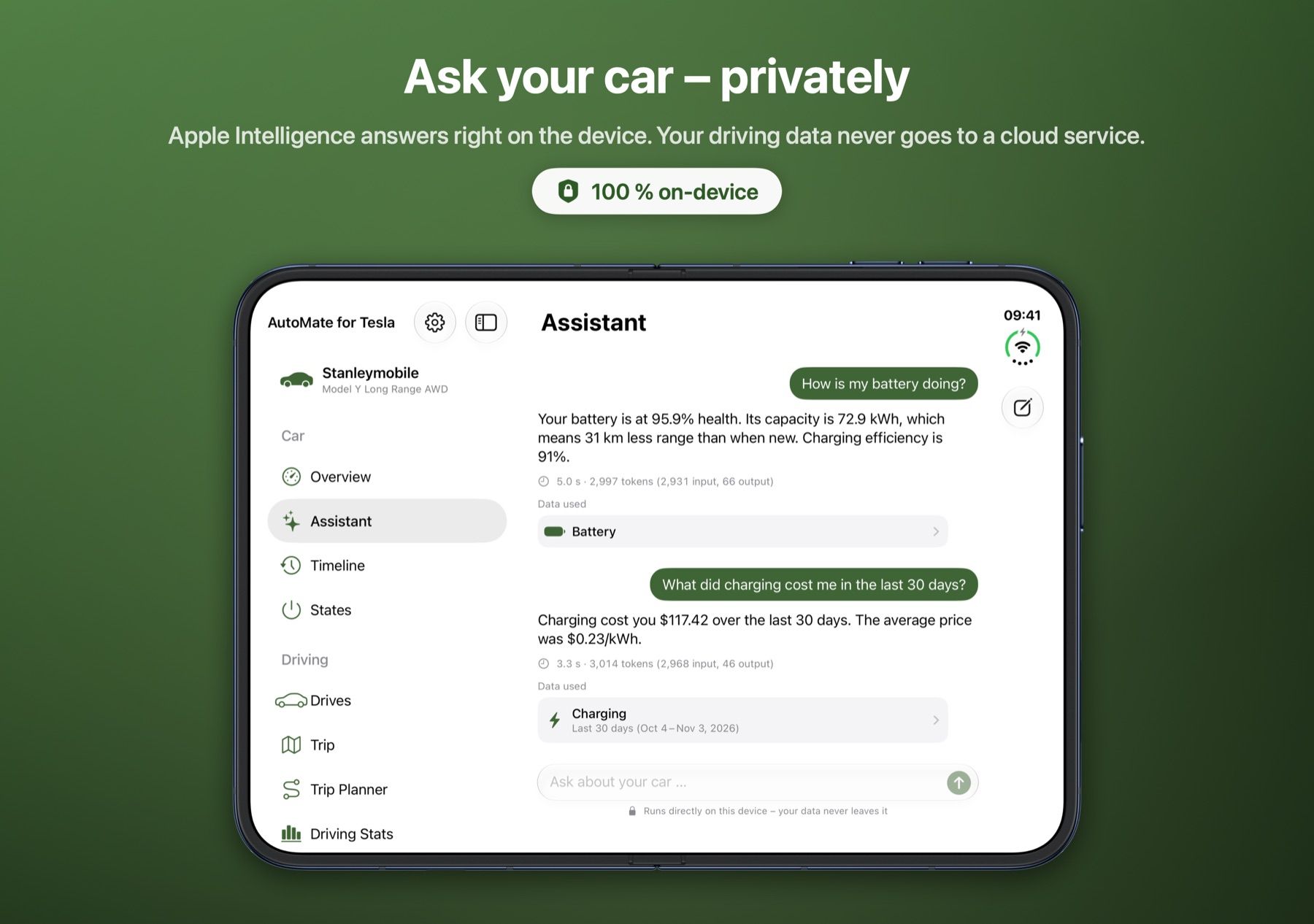
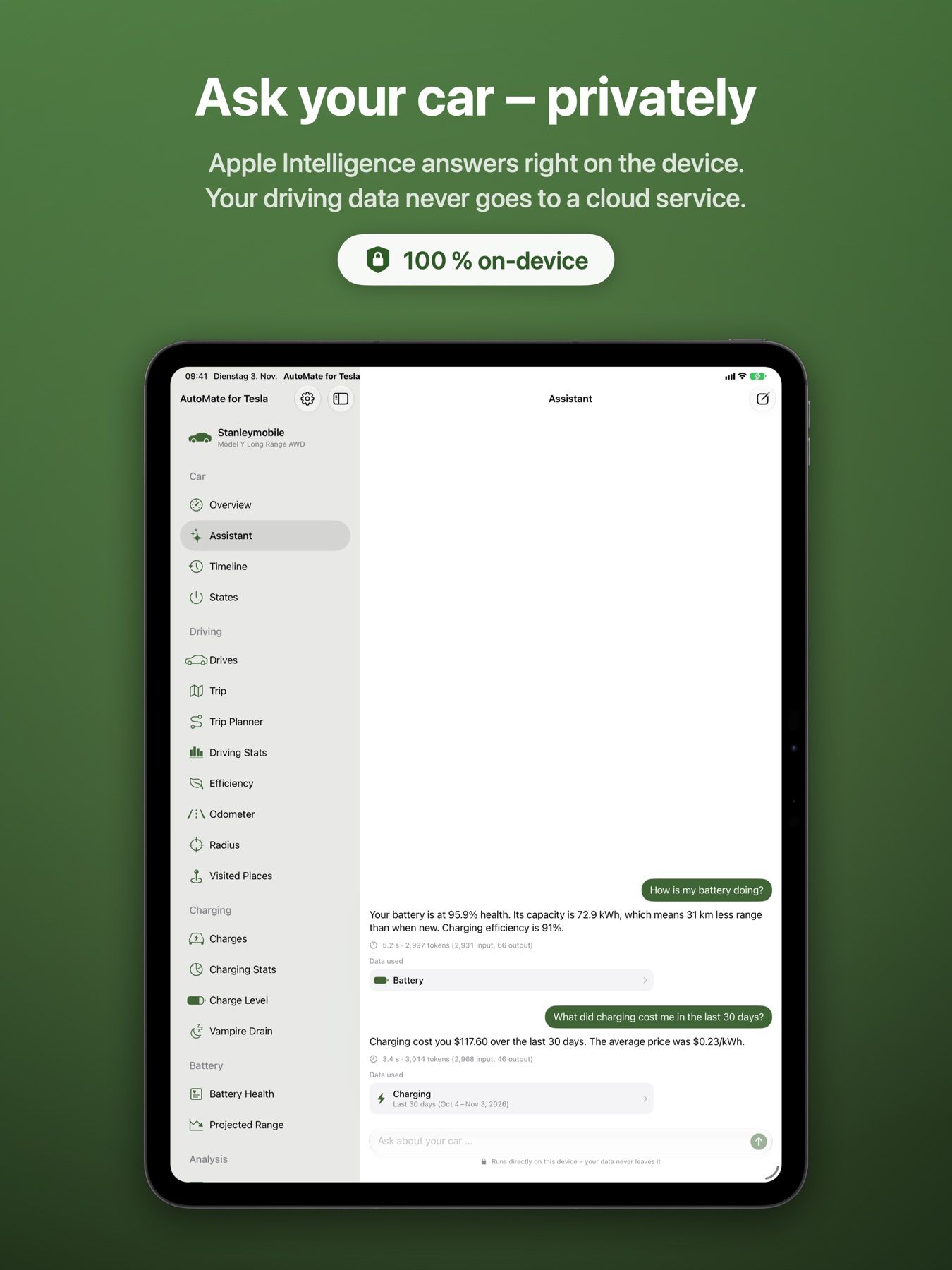
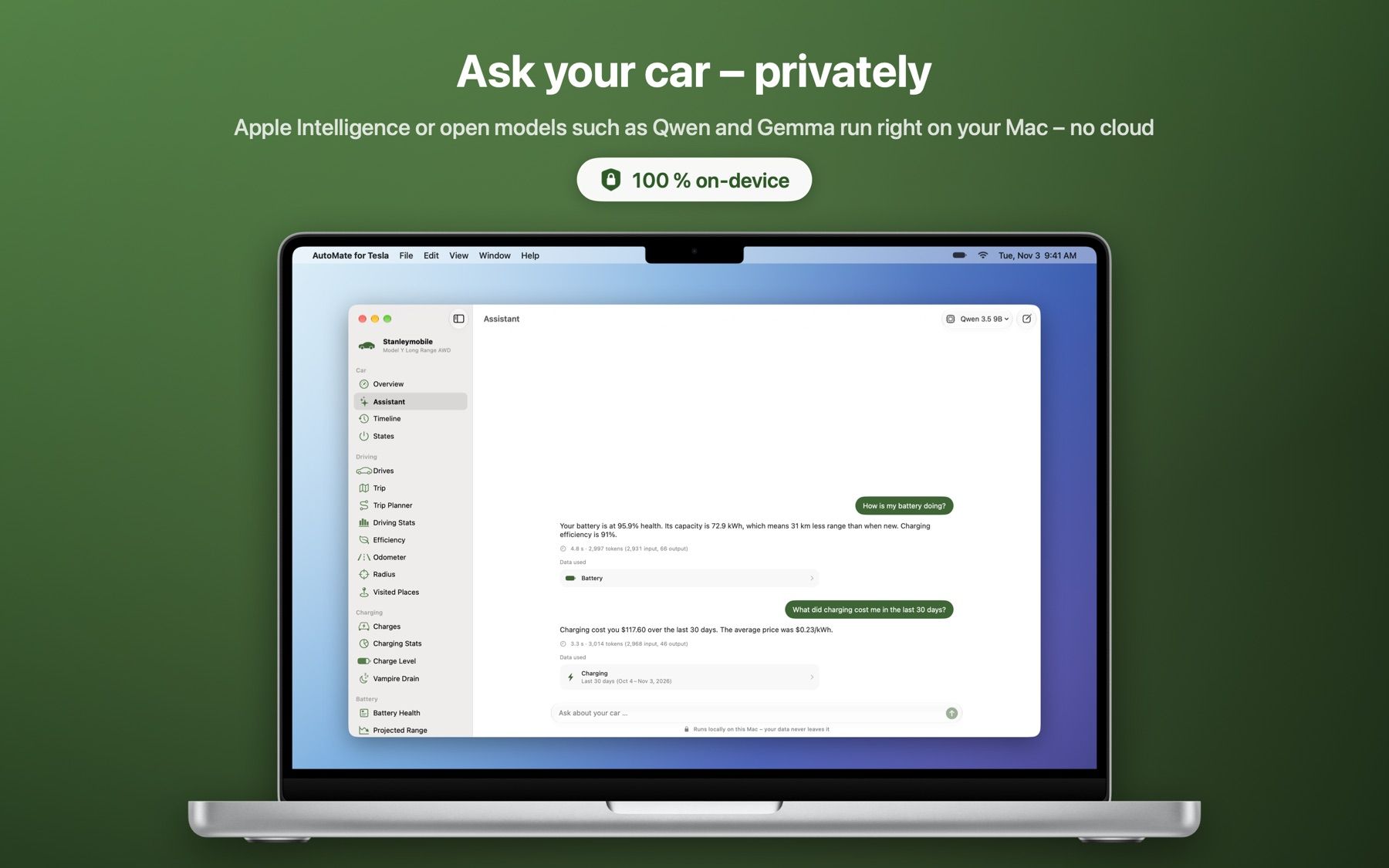
“How much did charging cost me in October?” The assistant answers questions about drives, charging and battery straight from your data. It runs on Apple Intelligence on the device, and on the Mac also with open models such as Qwen and Gemma.

  • 100 % on-device – your driving data never goes to a cloud service
  • Answers with real numbers from TeslaMate instead of estimates
Battery health with degradation and capacity
The assistant answers questions about charging costs and the battery
MCP server

For Claude, ChatGPT & co.

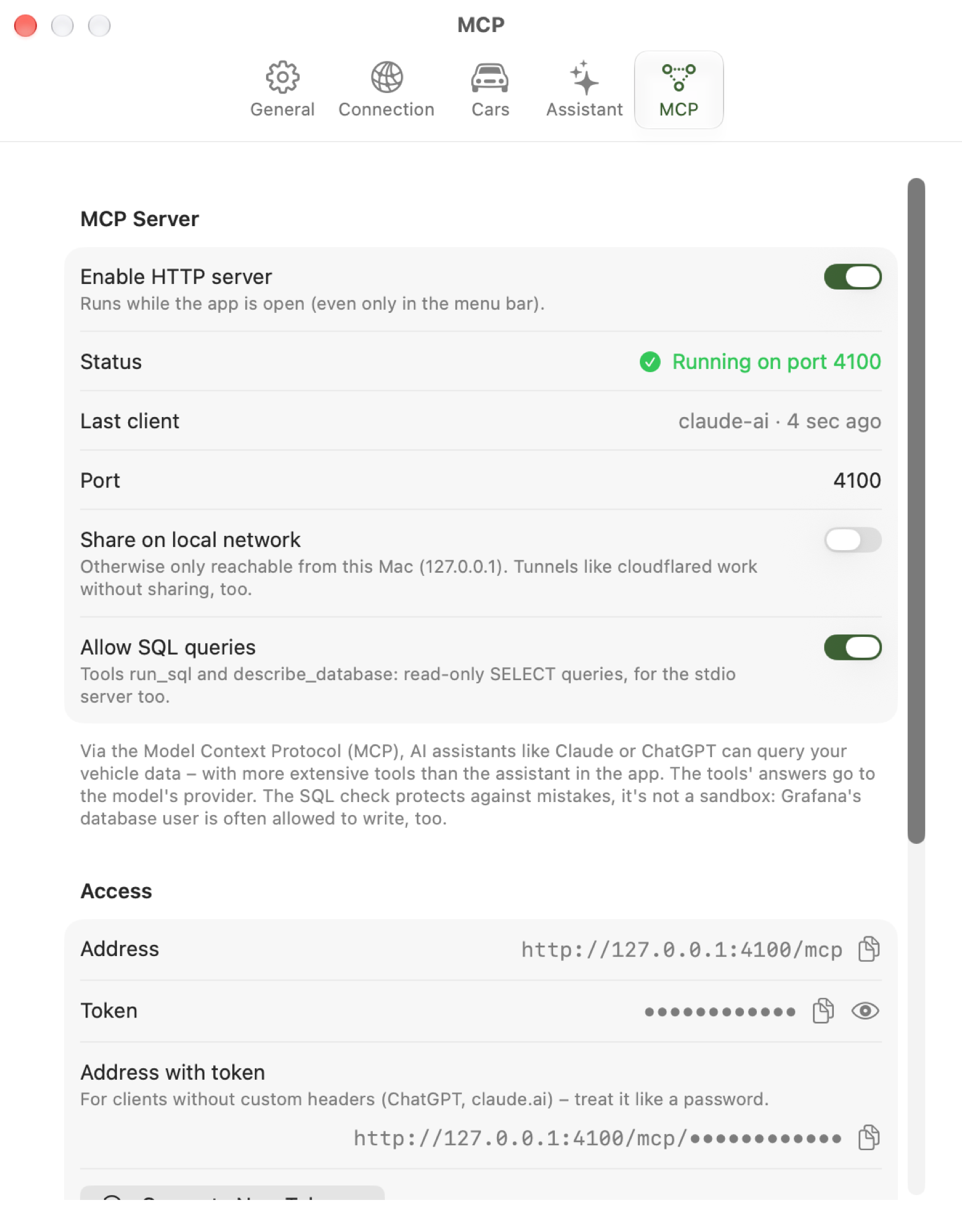
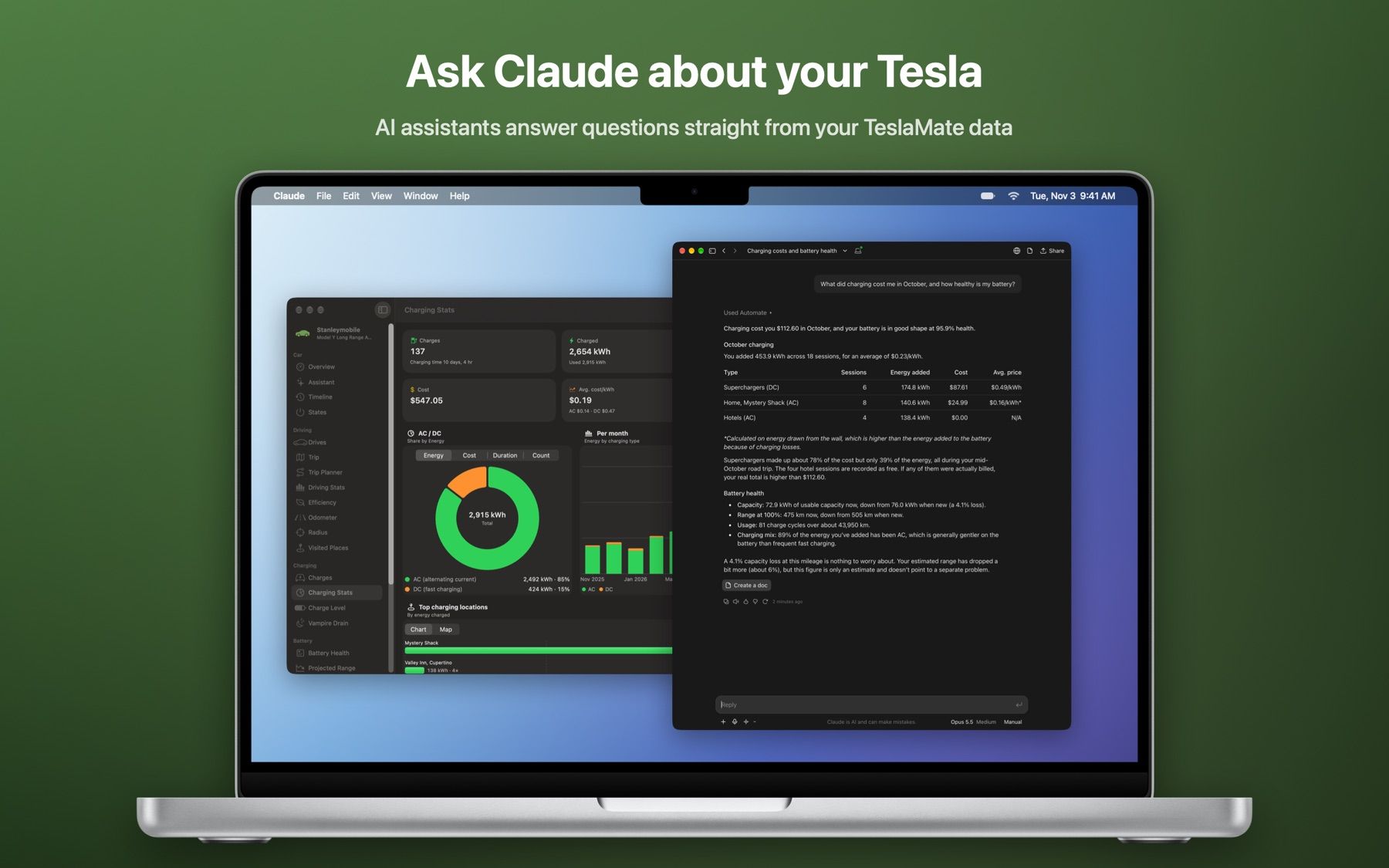
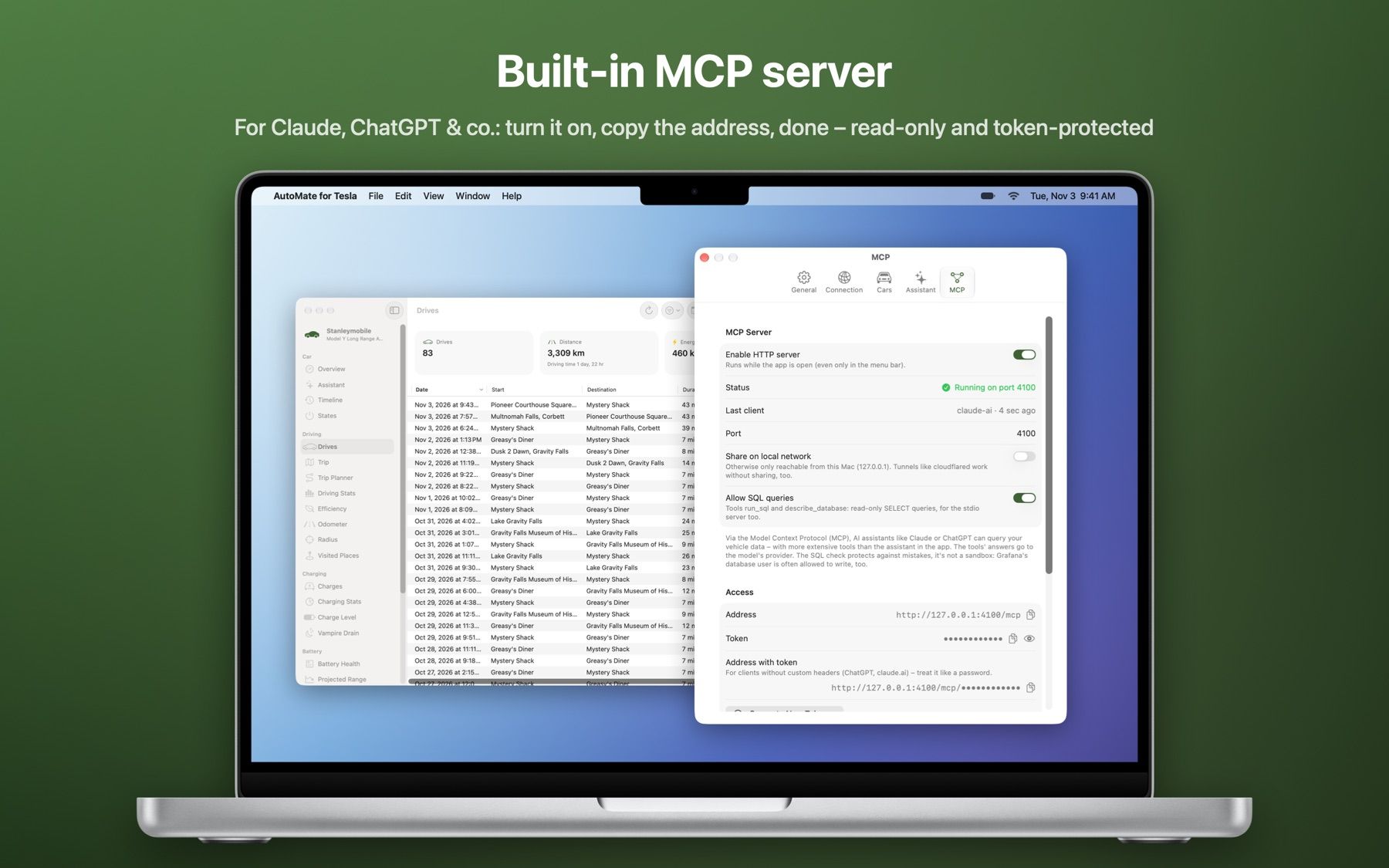
The Mac app comes with a Model Context Protocol server. AI assistants use it to answer questions straight from your TeslaMate data: turn it on, copy the address, done.

  • Read-only tools, protected by a token
  • Via stdio for Claude Desktop and Claude Code, or via HTTP on your local network
  • SQL queries limited to SELECT – and can be turned off at any time
Settings → MCP: the HTTP server is running on port 4100
Screenshots

Made for every device

Lists on iPhone, two columns on the unfolded iPhone Duo, Split View with a sidebar on iPad, tables and the menu bar on the Mac.

How it works

Ready in three steps

  1. Set up TeslaMate

    Already running TeslaMate? Great. Otherwise the Mac app sets up an instance for you – or follow the installation guide.

  2. Connect

    Enter the Grafana address and credentials – or pair iPhone and iPad with the Mac using a code.

  3. Drive

    All your data shows up right away. The app only reads and never changes your database.

Download

Get AutoMate for Tesla

For the Mac right here, for iPhone and iPad on the App Store.

Mac

AutoMate for Tesla for macOS

A disk image signed and notarized by Apple. Open it and drag the app into your Applications folder. The app tells you about new versions and installs them if you like.

Version
1.3.4 (111)
Released
November 14, 2026
Size
30.3 MB
Requires
macOS 26 Tahoe
Download for Mac

SHA-256: 15f917a937198f20953f2a5218d87ebfaab35e734060b0191b85c3b1818e8888

iPhone and iPad

AutoMate for Tesla on the App Store

One app for iPhone, iPad and iPhone Duo – with widgets for the Home and Lock Screen. Shares its connection with the Mac by pairing.

Requires
iOS 26 and iPadOS 26
Coming soon to the App Store
FAQ

Good to know

Do I need TeslaMate?

Yes. AutoMate for Tesla displays the data TeslaMate records. If you don’t have a server yet, the Mac app can set up TeslaMate for you (Mac with Apple silicon and Apple’s “container”). Everything else about TeslaMate is in its documentation.

Where does my data go?

The app connects directly to your Grafana and MQTT broker. There is no developer server in between, and the assistant runs on the device. Only if you use the MCP server with a cloud model do its answers go to that provider.

Can the app control my car?

No. The app only reads. You keep editing geofences, charging costs and settings in the TeslaMate web interface; the app links there where it makes sense.

Do I have to expose PostgreSQL?

No. The app reads through the Grafana API, just like the TeslaMate dashboards. All it needs is the Grafana address and a user or API token with the “Viewer” role.

Is the app available in English?

Not yet. The app itself is currently available in German only.